What Skovrum is
Skovrum is the workspace for the trainers and managers who run live training. Here's what it does, who uses it, and where to start.
Your words may differ. Each workspace can choose its own words: a class might be a cohort, program or group, a learner a participant, trainee or new hire, a session a module or lesson. These guides use the default words. The steps are the same whatever your workspace calls them. Change your workspace's words
Skovrum is a workspace for the people who run live training: in a classroom, on a video call or both. Trainers capture what happens during each session, and Skovrum turns those notes into learner progress, reports, handoffs to managers, and development for the trainers themselves.
It isn't a learning management system (LMS). Learners don't take courses in Skovrum and never sign in to it. If your organization has an LMS for self-paced courses, keep it. Skovrum covers what happens in the room.
What it replaces
Without Skovrum, live training is usually tracked across a pile of separate files: attendance in one spreadsheet, scores in another, observations in a notebook, survey results in a downloads folder. Skovrum keeps all of it in one place and keeps it current while you teach.
| Instead of | In Skovrum |
|---|---|
| Copying attendance into a tracker after every session | Attendance taken in a tap, with totals that are always up to date. See Take attendance. |
| Chasing trainers for their notes before a review | Notes land on each learner's profile as they're written. See Take notes during a session. |
| Merging survey exports into a slide | Ratings and comment themes ready to read. See Read survey responses. |
| Working out whose certification expires next | Renewals listed well before they lapse. See Track renewals. |
| Building the end-of-training report from scratch | Class reports and handoff packets ready to print. See The class report. |
Write it once, see it everywhere
The idea behind Skovrum is that nobody copies anything. A trainer writes one observation about a learner during a session, and it shows up:
- on the learner's profile and timeline, with its rating on their competency trend;
- in the class report, its analytics and its AI summary;
- in the learner's handoff packet when training ends;
- as a task on the team's list, if the trainer added a follow-up.
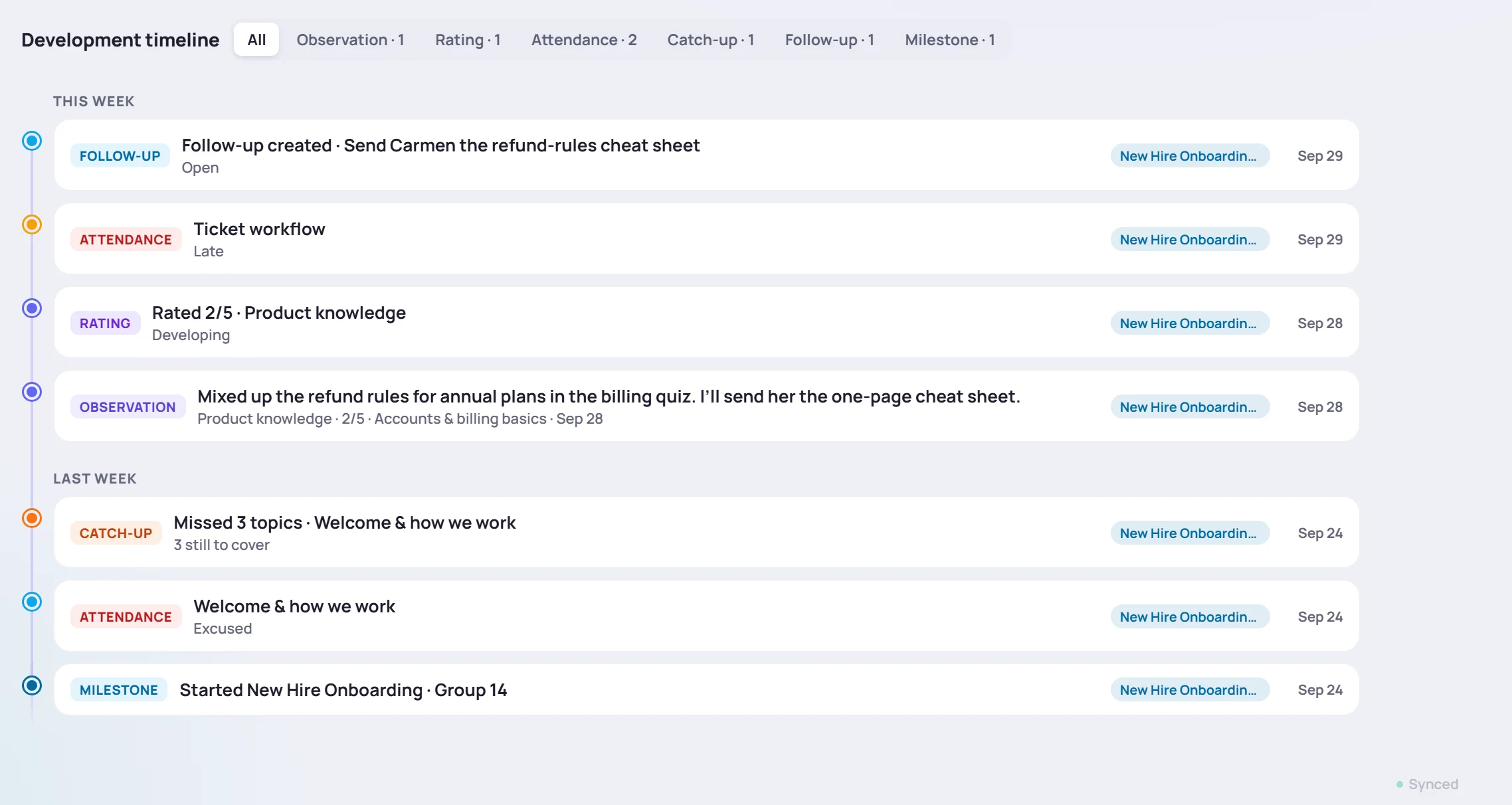
How everything connects explains how that works.
Who uses Skovrum
- Trainers run sessions, take notes and attendance, rate learners, record scores and hand learners on when training ends. Start with Your first week as a trainer.
- Managers and supervisors watch progress across every class, read reports, track renewals and coach their trainers. Start with For managers and supervisors.
- Admins set up the workspace, invite the team and look after the shared lists every class uses. Start with Set up your workspace.
- Learners only ever see a survey link, if you send one. They need no account, no password and no seat, and every plan includes unlimited learners. See What learners see.
What's in it
- Classes and sessions: schedules, rosters, curricula and holidays. See Create a class.
- Notes and observations during a session, with #tags, @mentions, attachments and private notes.
- Live mode for teaching, with a topic clock and a presenter screen for the projector. See Teach in live mode.
- Learner profiles with a timeline, competency ratings, missed topics and health flags. See The learner profile.
- Certifications: scores, attempts, certificates and renewals. See How certifications work.
- Surveys that can email themselves to learners at the end of each session. See How surveys work.
- Reports, analytics and AI summaries on every plan. See What AI does in Skovrum.
- Questions, from a class's parking lot to a team-wide FAQ. See Use the parking lot.
- Trainer development: coaching, scorecards and peer observation, on the Team and Business plans. See Trainer development.
Skovrum works in a browser. Use it in Safari on a Mac or Chrome on Windows, on a laptop at the front of the room or a tablet. It keeps working when the room has no signal and catches up when you're back online. See Working offline.
Try it or get it
- Try the demo: a sample team's week to click through, with no setup.
- Choose a plan: Solo, Team or Business.