Security questions
Answers for the people who approve tools at your organization: accounts and passwords, who can see what, AI, learners' data, backups and deletion.
Your words may differ. Each workspace can choose its own words: a class might be a cohort, program or group, a learner a participant, trainee or new hire, a session a module or lesson. These guides use the default words. The steps are the same whatever your workspace calls them. Change your workspace's words
These are the questions IT and security teams ask most often before a team starts using Skovrum. For the full legal detail, see the privacy policy and the terms of service. If you need something that isn't covered here, email support@skovrum.com.
Your workspace
Is our data kept apart from other customers' data? Yes. Each workspace has its own database and its own file storage, at its own web address. Nobody signed in to another workspace can reach yours.
Where is it stored? Skovrum is run from the United States and hosted by Cloudflare, so data may be stored and processed in other countries. See Where your data is stored.
Is it encrypted? Everything between your browser and Skovrum travels over HTTPS. Full workspace backups are also encrypted with a passphrase that only your Admin knows. See Backups.
What does the Skovrum team see? The tools the Skovrum team uses to run the service show anonymized counts for each workspace, such as how many classes it has, not names or notes. Feedback you send from the help menu reaches the team with the sender, the learners and any email addresses or @mentions removed. See Get help.
Accounts and passwords
How do people sign in? With their work email address and a password of at least 8 characters. Single sign-on and two-step verification aren't available yet; both are on Skovrum's roadmap.
How are passwords stored? Never as written. Skovrum keeps only a salted, one-way hash of each password, so nobody, including Skovrum, can read it back.
What stops someone guessing passwords? After too many wrong passwords, the account is locked for 15 minutes. Sign-in attempts from one place are limited too. Password reset links work once, for one hour. See Sign in and passwords.
How long does a sign-in last? Up to 30 days on a device. The sign-in is held in a cookie that the page's own scripts can't read, and Skovrum refuses changes sent from other websites.
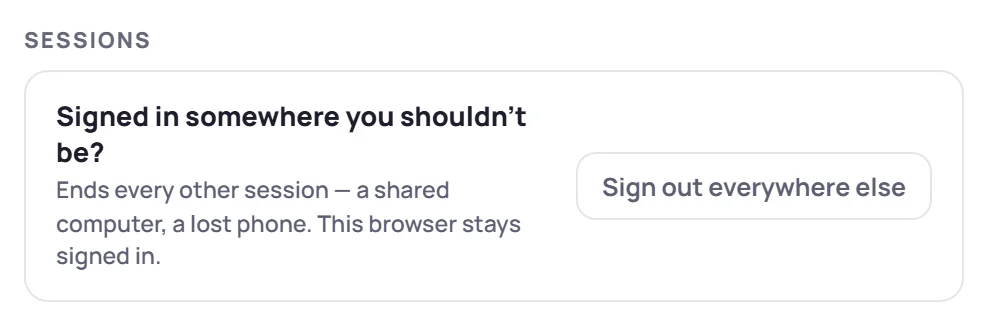
Someone left a computer signed in. What can we do? Anyone can end their own sign-ins on other devices: open Account settings (the gear next to your name) and click Sign out everywhere else. Changing a password also signs out every other device. An Admin can sign a person out everywhere from Manage → Users. See Account settings.
What happens when someone leaves the team? An Admin deactivates them in Manage → Users. They can't sign in, and what they wrote stays in the workspace. See Invite users.
Is anything left on the device after signing out? Signing out clears what Skovrum keeps in the browser, including changes waiting to sync. On a shared computer, always sign out when you finish.
Who can see what
Can every user see everything? No. Each person's role decides what they can see and change. The built-in Trainer role, for example, can change only the classes its members lead, and a custom role can be limited to seeing only those classes. Read-only roles can't change anything.
Can trainers keep notes to themselves? Yes. A private note is seen only by the person who wrote it, Admins included. It's left out of every report, export, handoff packet and AI summary.
What about sensitive background on a learner? Use a learner's private context. It's shown only in the app, to roles that are allowed to see it, and is never included in a report, export, email, AI summary or backup.
Can we see who changed what? On the Team and Business plans, the audit log records Admin actions, such as invitations and role changes. It records who did what, not learners' names, and keeps a year of history.
Learners
Do learners need accounts? No. Learners never sign in to Skovrum. The only thing a learner ever sees is a survey link, if a trainer sends one. See What learners see.
Are survey answers anonymous? By default, yes. A name is recorded only when a survey asks for one and the learner chooses to give it. Self-assessments are always named, so before and after can be compared. Skovrum doesn't store IP addresses with survey answers.
Can a learner opt out of emails? Yes. Every survey email has an unsubscribe link, and Skovrum sends no more survey emails to that address. See Survey emails.
AI
Which AI is used, and what is sent? AI summaries run on Cloudflare's own network; no other AI company receives the data. Each summary is sent only what it needs, such as shared notes and observations, attendance and certification figures, and survey comments. Private notes and private context are never sent. Learners' names aren't sent as separate details, though a name typed inside a note can be. See What AI does in Skovrum.
Is our data used to train AI? No. And Skovrum doesn't keep the generated text unless you save it in a report you download.
Can we turn AI off? Whether a role can use AI is part of the role. An Admin can make a custom role without it.
Backups and deletion
Can we get our data out? Yes. Admins can download an encrypted backup of the whole workspace, and anyone with export rights can download reports and spreadsheets. See Backups and Export to CSV. Backups and exports are on every plan.
How do we delete a learner's data? An Admin can permanently erase a learner, which removes them and their records from the workspace and replaces their name in notes. See Archive, delete or erase.
What happens to our data if we stop using Skovrum? If your workspace is paused, its Admins can still sign in and download a backup for 30 days. When you leave, Skovrum deletes or returns your workspace on request. See Paused or cancelled.
How long are things kept? Workspace content is kept until you delete it. The audit log keeps 365 days. See the privacy policy for everything else.
Will you tell us about a breach? Yes. If Skovrum learns of a breach that affects your information, it tells the affected customers without undue delay.