Since last session
See what the class's previous session left behind, and carry follow-ups and unfinished topics into today.
Your words may differ. Each workspace can choose its own words: a class might be a cohort, program or group, a learner a participant, trainee or new hire, a session a module or lesson. These guides use the default words. The steps are the same whatever your workspace calls them. Change your workspace's words
Before you start teaching, it helps to know what happened last time. The Since card on the session screen collects everything the class's previous session left behind, so you don't have to go back and read it. It works the same whether you ran that session yourself or a colleague did.
Open the card
On a session, look for the chip that starts with Since, followed by the name of the previous session (for example Since Shadowing: live queue). The number on it is how many things carried over. Click the chip to open the card and click it again to close it.
Before a session starts, the card opens by itself whenever something carried over:
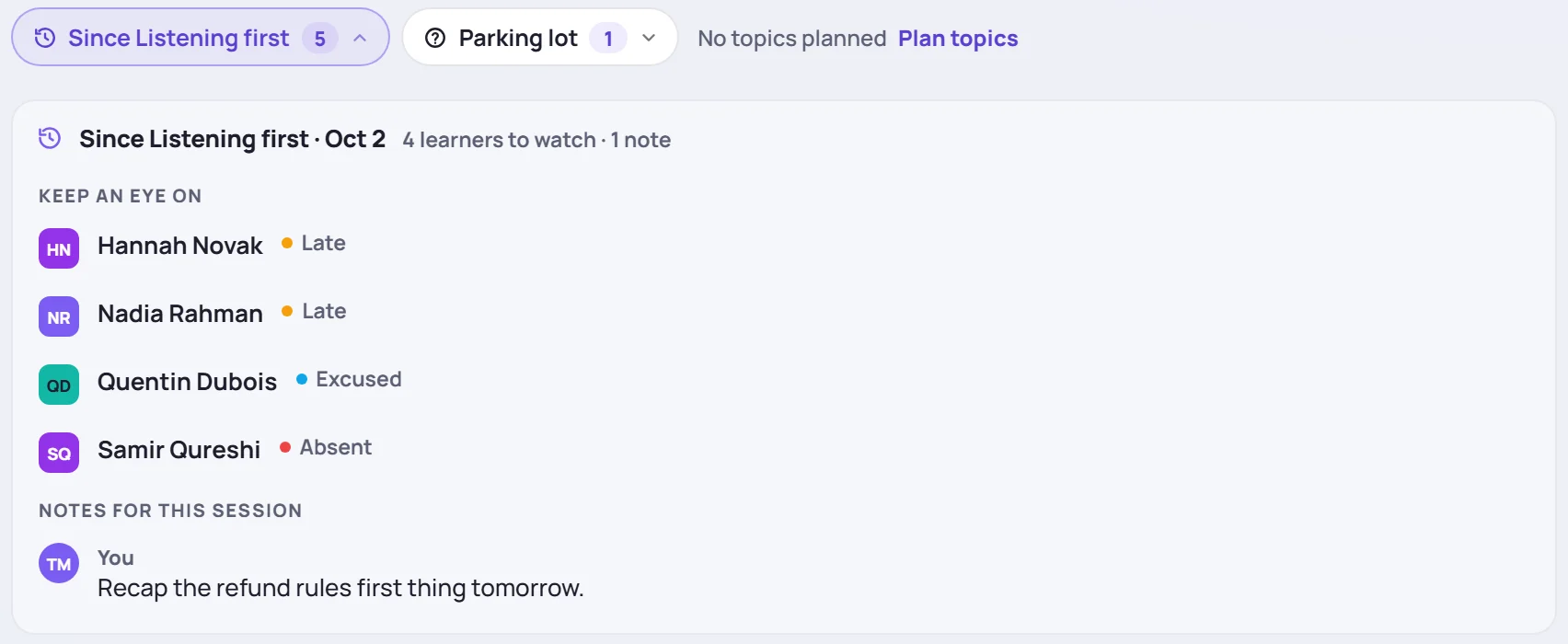
The card's heading names the previous session and its date, followed by a one-line summary, such as 1 follow-up · 2 learners to watch · 1 note. Click the session's name to open it.
If nothing carried over, there's no chip. Before the session starts, the row says Nothing carried over instead. On a class's first session it says First session of this class.
What's on the card
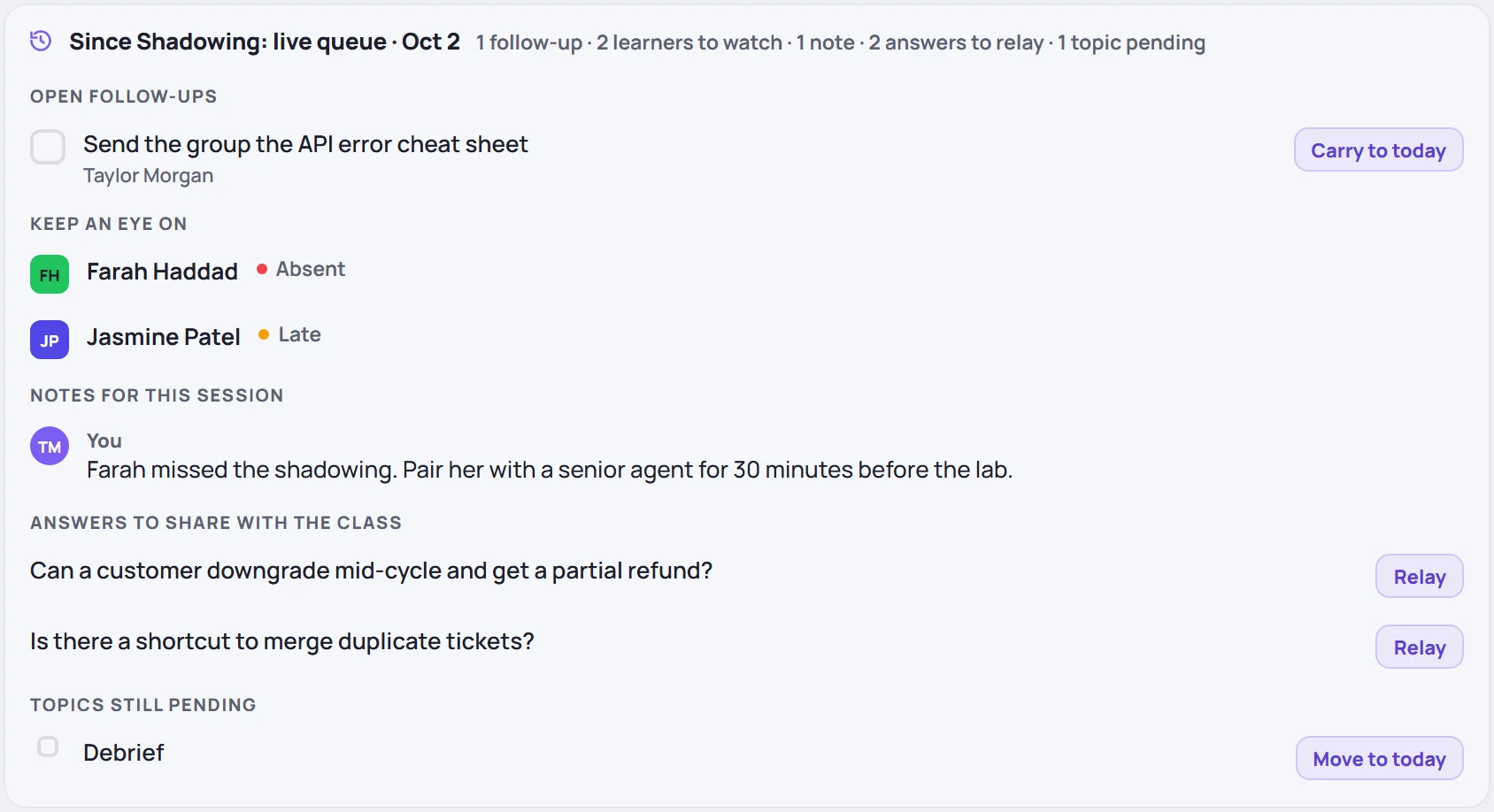
The card has up to six parts. Each appears only when it has something in it.
| Part | What it lists | What you can do |
|---|---|---|
| Open follow-ups | Action items from the previous session that aren't done yet, with the learner and the person they belong to | Tick the box to mark one done. Carry to today links it to today's session. |
| Planned for this session | Open follow-ups already linked to today, such as one you carried or a planned catch-up | Tick the box to mark one done. |
| Keep an eye on | Learners in today's session who were Absent, Late, Excused or left early last time, were rated 2 or lower, or are flagged as on watch | Click a learner to open their history in the roster. |
| Notes for this session | The notes any trainer of the class left in their wrap-up for the next session | Read them. |
| Answers to share with the class | Questions in the class's parking lot that have an answer but haven't been passed on to the learners yet | Click one to read it. Relay marks it as shared. |
| Topics still pending | Topics planned for the previous session that weren't checked off | Move to today adds the topic to today's plan. |
Carry a follow-up into today
Carry to today links the follow-up to today's session. It then moves to Planned for this session, so it stays in view until it's done. Skovrum confirms with Carried to … and the session's name.
You can carry only your own follow-ups (Admins can carry anyone's), and only into a session you lead.
Move an unfinished topic to today
Move to today takes a topic that wasn't covered last time and puts it at the end of today's plan. The Plan chip counts it straight away.
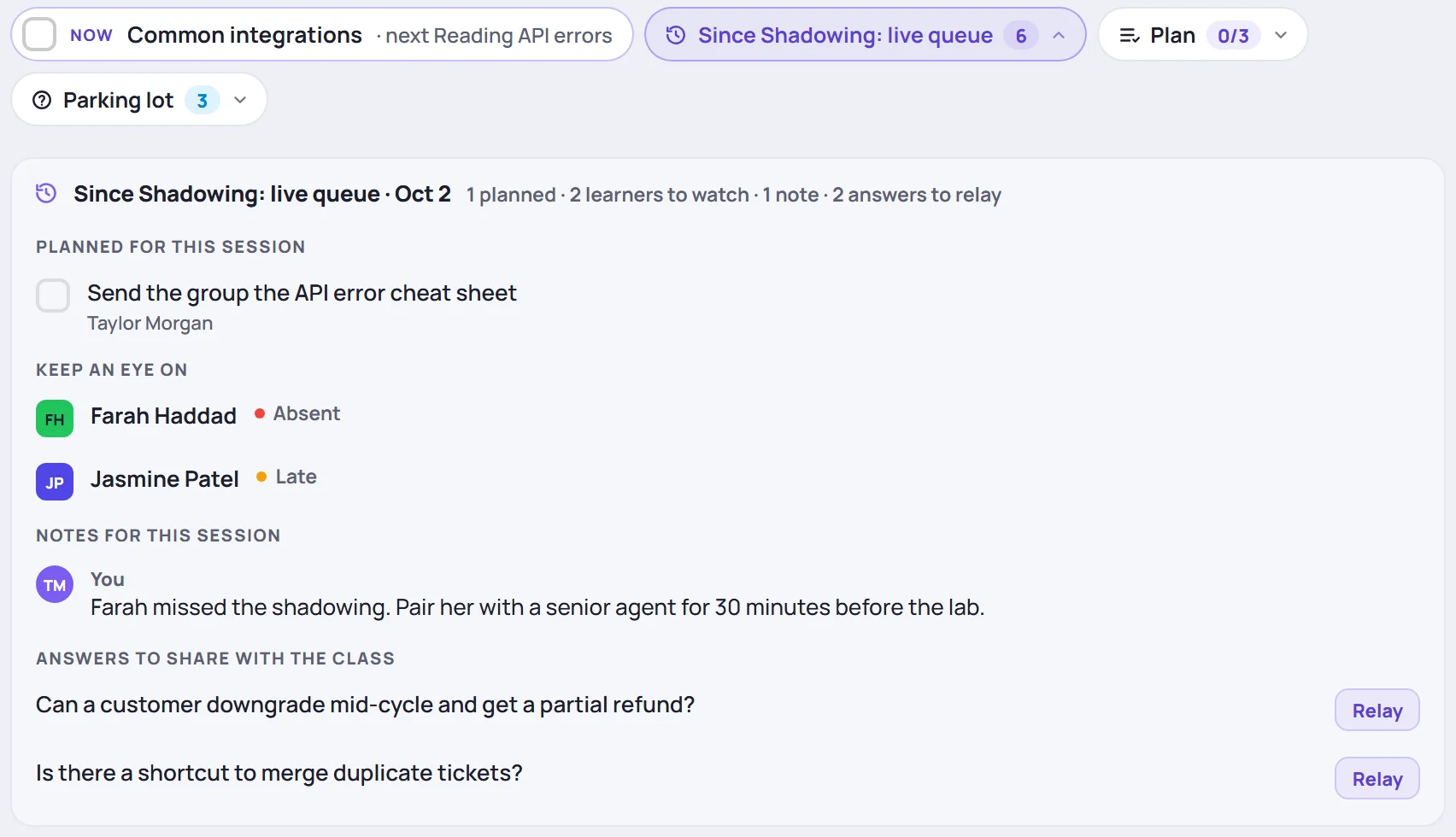
You can also move topics from the previous session itself, with the arrow next to each topic. See Today's topics.
Where the card gets its information
The card doesn't keep anything of its own. It reads from the places you already record things:
- Follow-ups are the action items written in the previous session's notes, and tasks linked to it. See Tasks and follow-ups.
- Learners to keep an eye on come from the previous session's attendance and daily progress ratings, and from learners flagged as on watch.
- Notes for this session are written in the Notes for next session box when a trainer wraps up.
- Answers come from the class's parking lot.
- Pending topics come from the previous session's plan.
So the best way to fill the card for the next trainer is to wrap up each session. See Wrap up a session.
In live mode
The same information is in live mode, under Context, along with the topics each learner has missed. There it's read-only. See Teach in live mode.
Common questions
The card says a learner was absent, but they've caught up since. The card reports what was recorded for the previous session only. To track what a learner missed and has since covered, see Missed topics and catch-ups.
Why don't I see a Carry to today button? It's shown only for your own follow-ups, on a session you lead. Admins see it on every follow-up.
Which session counts as "last time"? The class's session just before this one by date and start time, whether or not you were there.