The catalog
The catalog in Manage → Data, the shared lists every class draws on, and who can change it.
Your words may differ. Each workspace can choose its own words: a class might be a cohort, program or group, a learner a participant, trainee or new hire, a session a module or lesson. These guides use the default words. The steps are the same whatever your workspace calls them. Change your workspace's words
The catalog is the set of shared lists that every class draws on: the courses you run, the certifications learners can pass, the competencies you rate, the survey templates, the tags and, if you use them, countries. Filling it in before you create classes means trainers pick from lists instead of typing. It all lives in Manage → Data.
What's in Manage → Data
The cards, from the top:
| Card | What it holds | More |
|---|---|---|
| Survey templates | The surveys learners answer, matched to a class type | Build a survey template |
| Backup & export | Download your workspace view or spreadsheets | Export to CSV, Backups |
| Tasks and Clear old data | Housekeeping. Only for people who can manage users. | Clear old data |
| Clients or business units | Only if your workspace groups classes that way | Clients and business units |
| Countries | The markets or regions classes serve, if you report by country | Below |
| Courses | Reusable setups for classes you run again and again | Courses and past classes |
| Certifications | What learners can pass, with the pass mark and renewal | How certifications work |
| Competencies | What observations are about, and what a 1 to 5 rating measures | Competencies |
| Tags | The #tags used on notes and tasks | Below |
A role that can manage the catalog but not users gets a Manage screen with only this tab, without the Tasks and Clear old data cards.
Courses and certifications
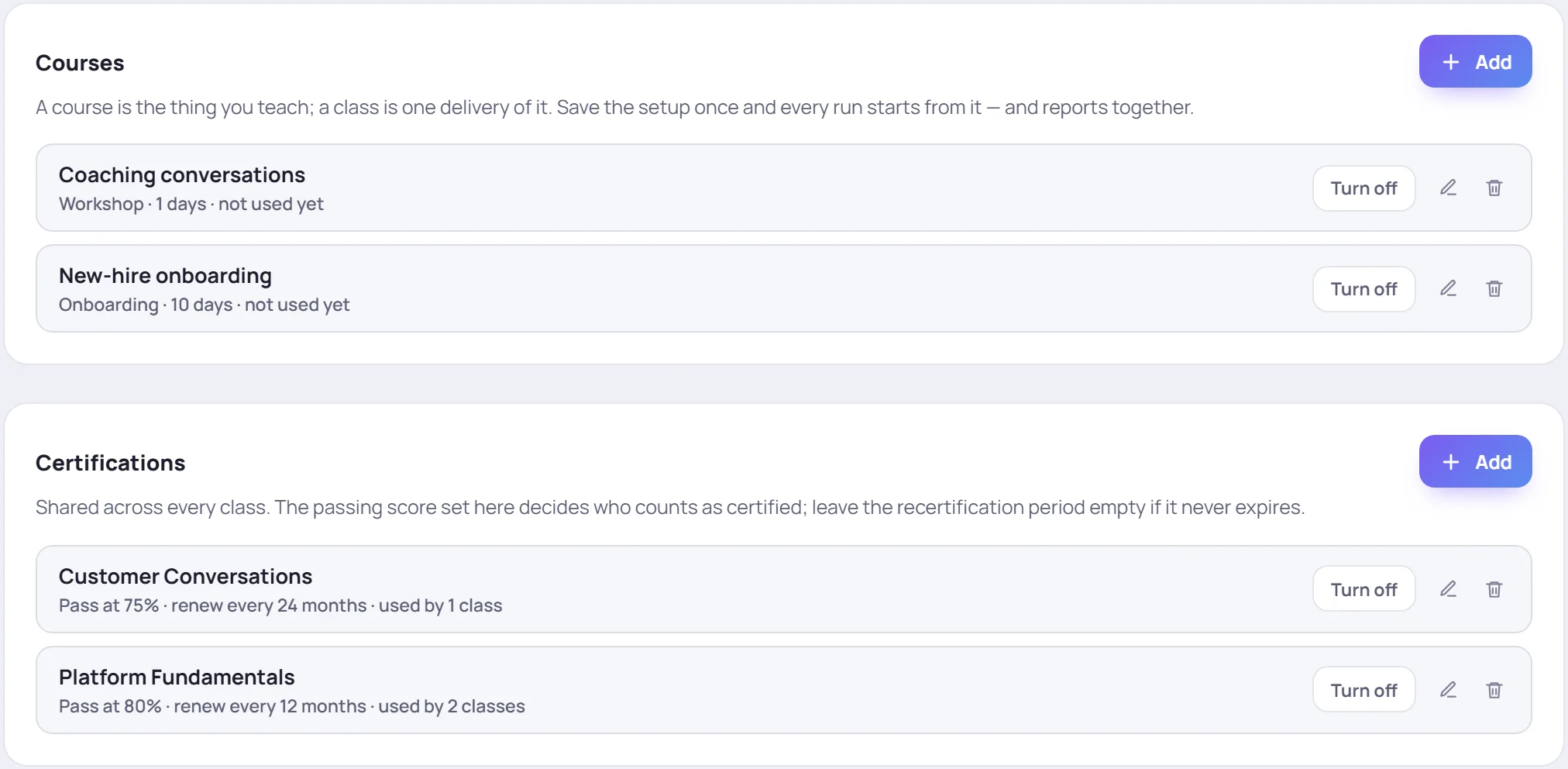
Each entry has the same three controls:
- Turn off hides it from new classes. Classes that already use it keep it, and Turn on offers it again. Turned-off entries are marked OFF.
- The pencil edits it.
- The bin removes it, but only while nothing uses it. A course a class was delivered from, or a certification a class uses, can't be removed: turn it off instead.
The line under each name says how it's used: delivered 2 times, used by 1 class or not used yet.
Click Add on a card to create one. What each field means is in Courses and past classes and How certifications work. The pass mark and renewal a new certification starts with are set in Workspace settings.
Tags
Tags group notes and tasks across classes, such as #follow-up or #strength. Trainers make new ones just by typing them in a note. This card lets you tidy the list.

- Add a tag: type a New tag name, pick a color and click Add tag.
- Delete a tag: click the bin on it. It's deleted at once and taken off every note and task that had it. The number on each tag shows how much it's used.
- Delete several: click Select, click the tags, then Delete in the bar at the bottom.
Countries
Countries are optional. They're for teams that report by market or region, such as US or IRL. Until you add one, the Country field stays hidden on the new-class form and in Analytics.

Click Add on the Countries card:
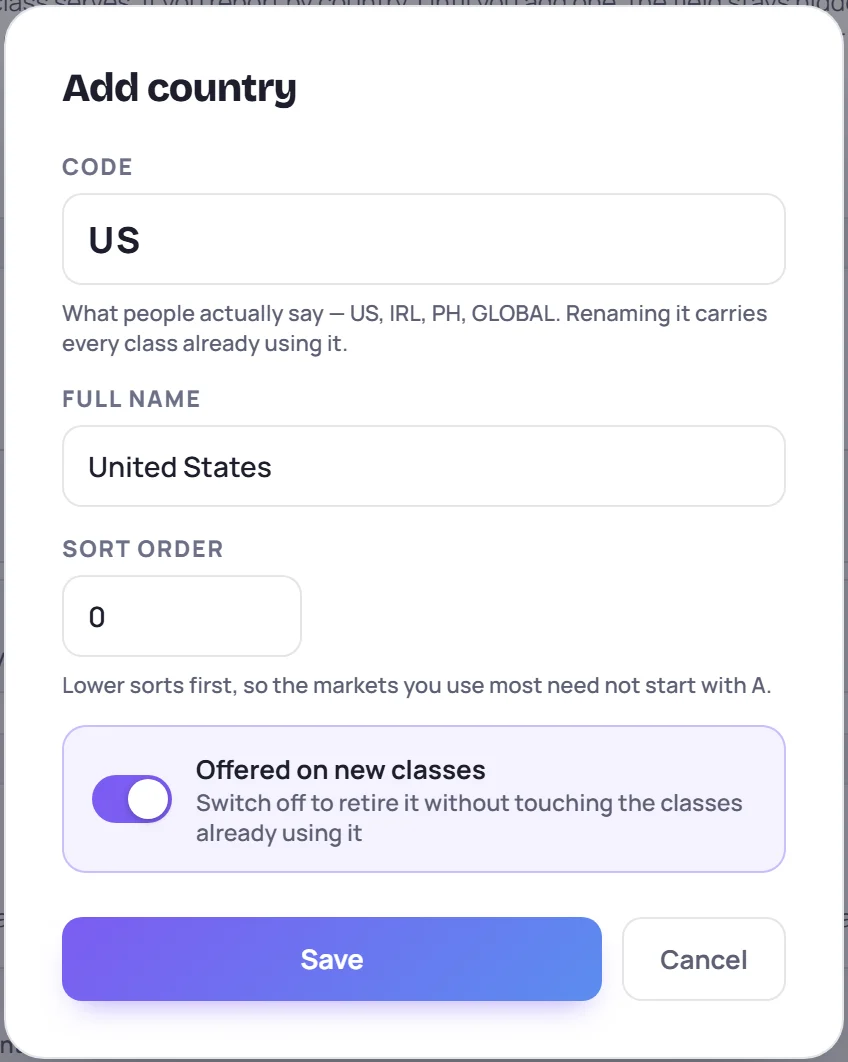
| Field | What to enter |
|---|---|
| Code | What people say, such as US, IRL or GLOBAL. Changing it later carries every class using it. |
| Full name | Such as United States |
| Sort order | Lower numbers come first in lists |
| Offered on new classes | Switch off to retire a country without touching the classes using it |
A country isn't the class's location: that's the room or platform, set on each class. Removing a country leaves its classes without one. The classes themselves are kept.
Who sees the catalog
Everyone uses it: trainers pick a course when they create a class, a competency when they log an observation, a tag when they write a note. Only people who can manage the catalog change it. Edits to courses, certifications, competencies, countries and survey templates, and removals, are recorded in the audit log on the Team and Business plans.
Common questions
I don't see Manage. Your role can't manage the catalog or users. Ask your Admin.
Can I rename a tag? Not from this card. You can add a new one, but deleting the old one also takes it off every note that had it.
Where are learning paths? They have their own screen: More → Learning Paths in the sidebar. See Learning paths.