Track renewals
See whose certifications are about to expire, on Learners → Renewals, the Today card, the bell and the daily email, and how a learner renews.
Your words may differ. Each workspace can choose its own words: a class might be a cohort, program or group, a learner a participant, trainee or new hire, a session a module or lesson. These guides use the default words. The steps are the same whatever your workspace calls them. Change your workspace's words
Some certifications only last a while, such as a safety certificate that has to be renewed every year. When a certification in your workspace's catalog has a renewal period, Skovrum works out when each learner's pass expires and reminds you in good time.
How the date is worked out
A pass lasts for the certification's renewal period, counted from the date of the learner's first passing attempt in that class. A certification with no renewal period never expires and never appears here.
If a learner has passed the same certification in more than one class, only the latest expiry date counts. That's how a renewal works (see below).
Skovrum groups renewals by how close they are:
| Status | Means |
|---|---|
| Current | More than 60 days left |
| Due | 60 days or fewer left |
| Expired | The date has passed |
Learners who are archived or have left the company are left out.
Learners → Renewals
Click Learners in the sidebar, then the Renewals tab. Everyone with an expiry date is listed, soonest first.
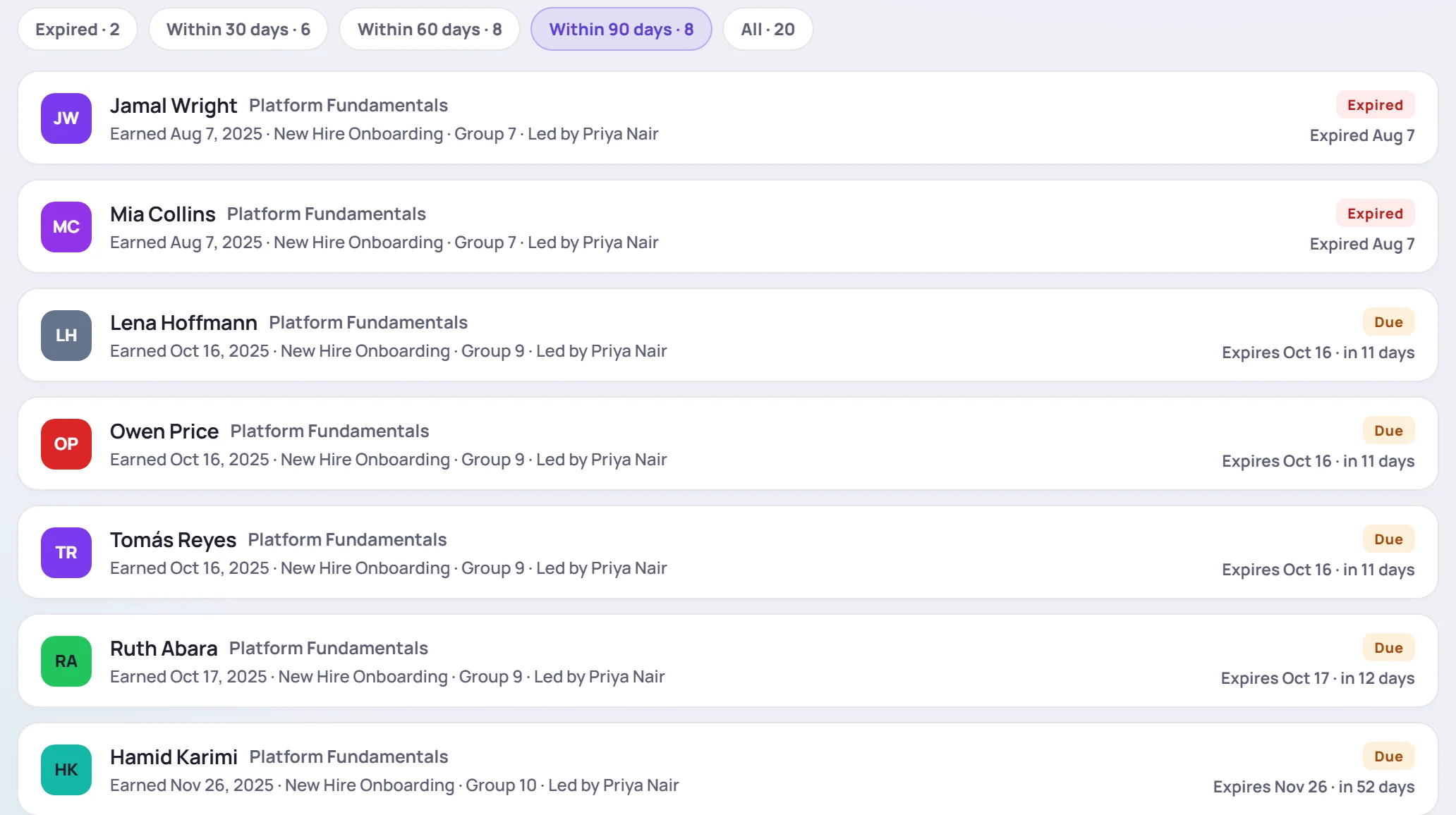
Each row shows the learner and the certification, then Earned with the date, the class and who led it. On the right are the status and the date, such as Expires Oct 16 · in 11 days. Click a row to open the learner's profile on the Timeline tab, where their certifications are listed.
The buttons at the top choose the range, each with a count: Expired, Within 30 days, Within 60 days, Within 90 days (the default) and All. The day ranges include certifications that have already expired, so nothing overdue drops out of view.
The Today card
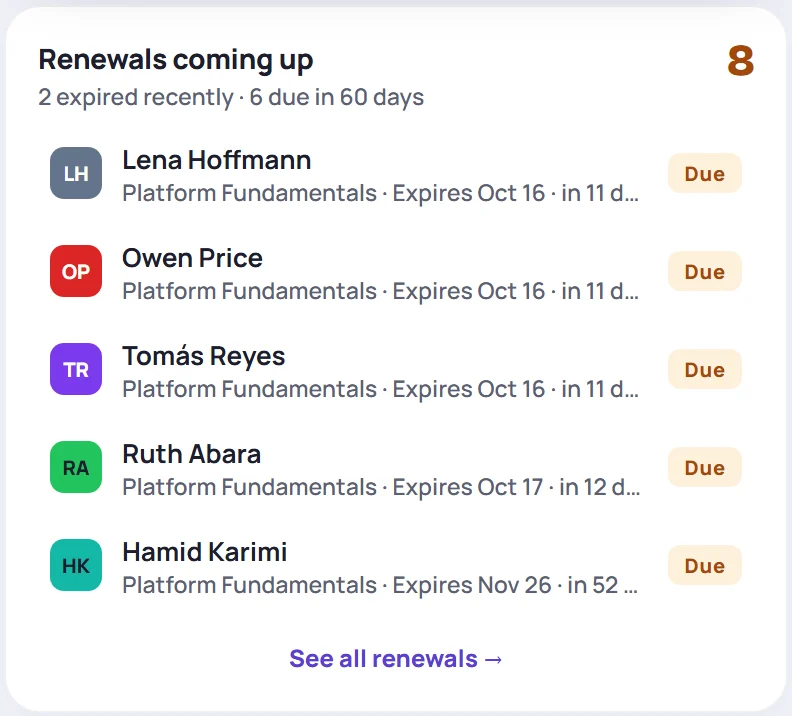
When a renewal is due within 60 days, or expired in the last 90 days, Today shows a Renewals coming up card. It lists the five closest to today, with a count of all of them. Click See all renewals → to open the full list.
The bell and the daily email
A renewal raises a notification under the bell when it reaches 60, 30 and 7 days left, and again when it expires. Each one is a separate item, so dismissing the 60-day reminder doesn't hide the 30-day one.
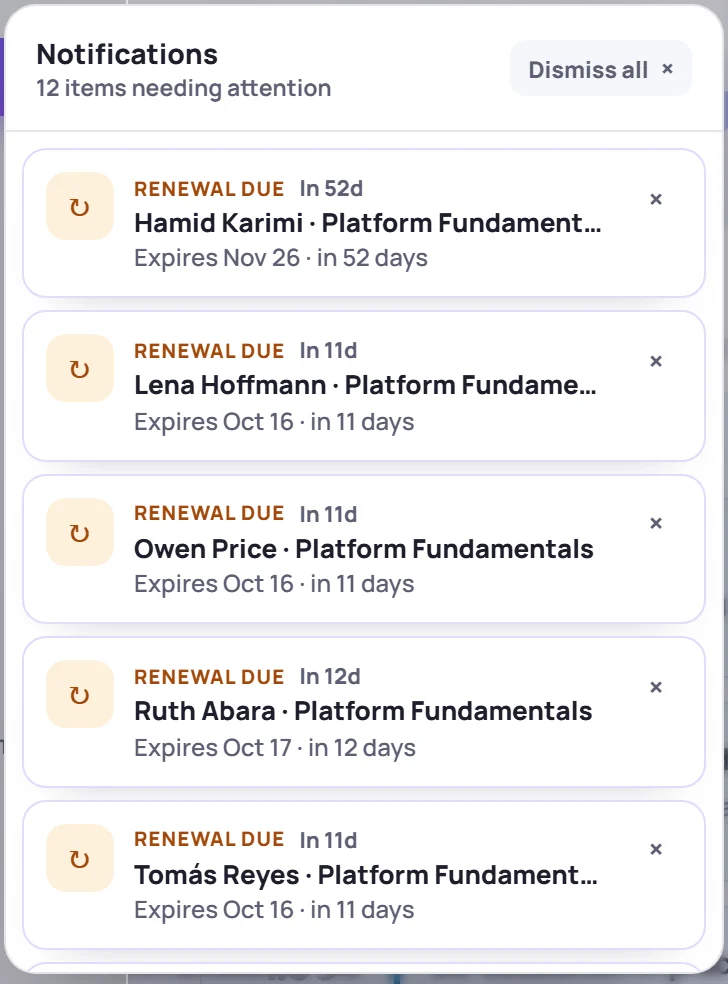
To keep the bell readable, it shows at most five renewals, the closest to today first, then a line such as 3 more renewals due or recently expired. That line opens Learners → Renewals. Expired certifications stop appearing on Today and in the bell after 90 days, but they stay on the Expired list.
If you get the daily email, its Certification renewals section lists the same milestones as they're reached.
On the learner's profile
A learner with a renewal due shows Renewal due (or Renewal overdue) next to their name. Hover over it to see which certification and when. Click it to open the Timeline tab.
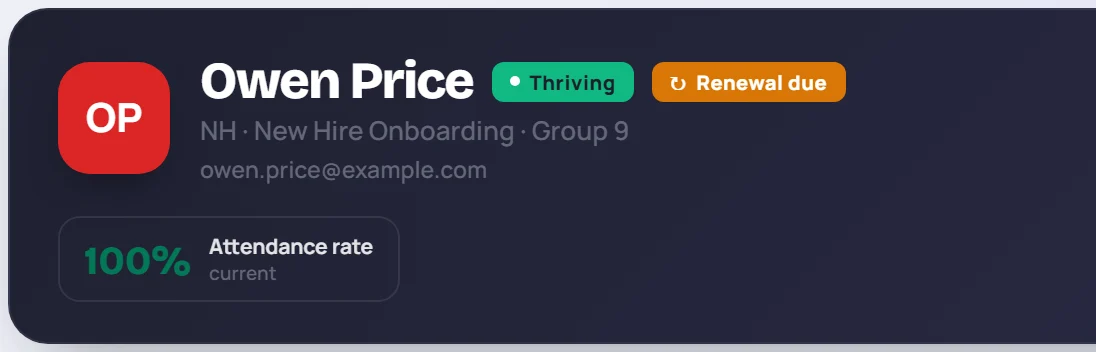
On the Timeline tab, each certification in the Certifications section shows Valid until, Expires or Expired with the date. See The learner profile.
How a learner renews
To renew, the learner passes the same certification again in a newer class, such as a refresher workshop:
- Make sure the newer class has the certification, with exactly the catalog's name. See How certifications work.
- Add the learner to that class if they aren't on it. See Add learners.
- Record their new passing score there. See Record scores.
The new pass starts a new period, and the renewal drops off the lists. Recording a retake in the original class doesn't move the date, because the clock always runs from the first pass in a class.
Common questions
Why isn't a certification showing up here? Only certifications with a renewal period appear, and only once the learner has passed. A certification name that isn't linked to your workspace's catalog never expires. An Admin sets the renewal period under Manage → Data → Certifications.
We changed the renewal period. Do I need to update anything? No. Expiry dates are worked out whenever they're shown, so every date moves to match.
Why do I see a renewal on Today but not in my bell? The Today card and the renewals list show everyone. The bell only shows learners in classes you lead, unless your role manages learners across every class.