The peer observation form
Change the sections and scorecard areas colleagues fill in when they observe a session.
Your words may differ. Each workspace can choose its own words: a class might be a cohort, program or group, a learner a participant, trainee or new hire, a session a module or lesson. These guides use the default words. The steps are the same whatever your workspace calls them. Change your workspace's words
When a trainer observes a colleague's session, they fill in a form (see Peer observation). Your workspace has one form, and a coach can change what it asks.
Open the form editor
Go to More → Development. In the Peer observations to review card, click Observation form.

Change the form
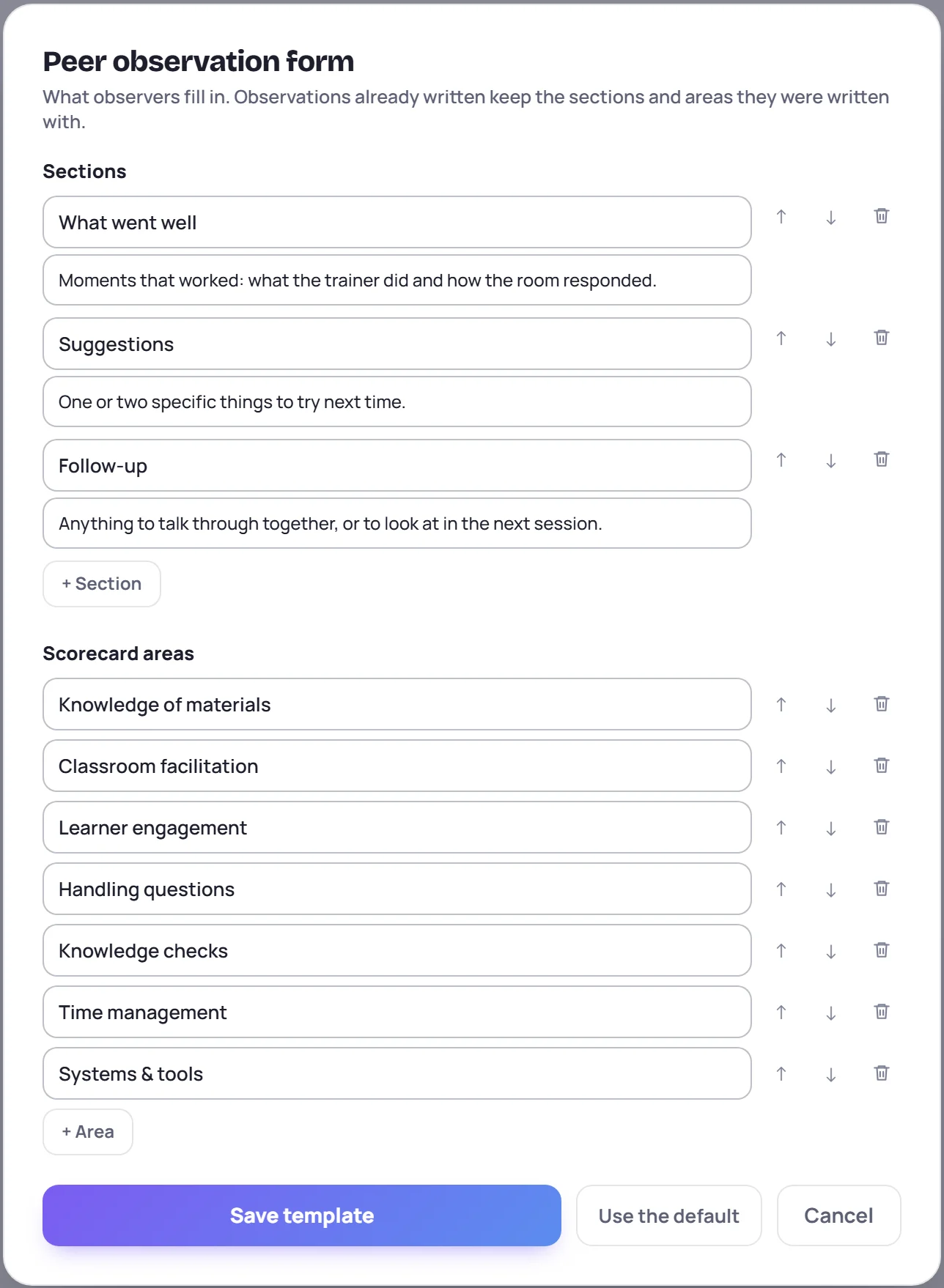
The form has two parts:
- Sections are text boxes. Each has a title and an optional prompt that tells the observer what to write. The usual ones are What went well, Suggestions and Follow-up. Add one with + Section, up to eight.
- Scorecard areas are scored 1 to 5. The usual seven are the same as on the coaches' practice and live reviews. Add one with + Area, up to twelve.
Use the arrows to reorder, and the bin to remove one. Then click Save template. You need at least one section or one scorecard area. A section or area with no title is left out when you save.
Use the default puts back the usual sections and areas. Nothing changes until you click Save template, and Cancel leaves the form as it was.
The change takes effect for every observation written after you save. It's recorded in the audit log.
What happens to observations already written
They keep the sections and areas they were written with, under the names they had then. If someone edits an observation that's still with the coaches, they see the current form, plus anything from the old form that it no longer has.
Common questions
Does this change the scorecard on practice and live reviews? No. Those always use the same seven areas. This form is only for peer observations.
Can different classes have different forms? No. There's one form for the whole workspace.