Edit a class
Change a class's name, trainers, delivery, times, tags, certifications and sessions after it's been created.
Your words may differ. Each workspace can choose its own words: a class might be a cohort, program or group, a learner a participant, trainee or new hire, a session a module or lesson. These guides use the default words. The steps are the same whatever your workspace calls them. Change your workspace's words
Almost everything you set up when you created the class can be changed later. Open the class and click Edit at the top. Admins can also click the pencil next to a class in Manage → Classes.
The edit form
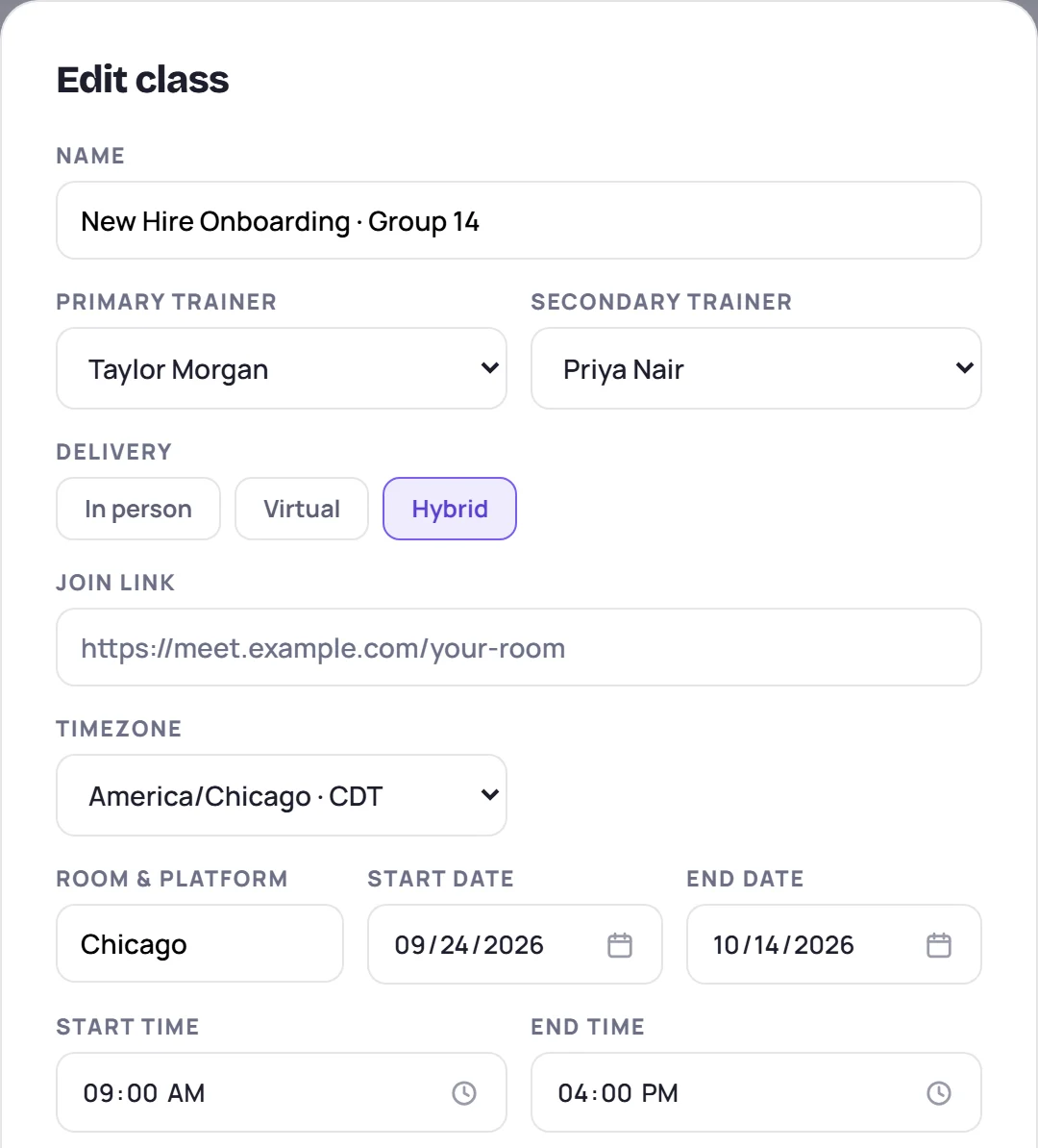
| Field | Notes |
|---|---|
| Name | The class's name. |
| Primary trainer, Secondary trainer | Shown if your role can assign trainers. A new second trainer is set on every session. |
| Delivery | In person, Virtual or Hybrid. An older class may show Not recorded for this class. |
| Join link | For virtual and hybrid classes. It must be a web address. |
| Timezone | The zone the class's times are read in. |
| Country | Only shown once an Admin has added a country. |
| Location, Platform or Room & platform | The label follows the delivery. |
| Start date, End date | See Dates and times below. |
| Start time, End time | See Dates and times below. |
| Tags | Type a tag and press Enter or click Add. Click × on a tag to remove it. |
| Certifications (one per line) | See the warning below. |
Click Save changes when you're done. Class updated appears, along with how many sessions were added or removed.
Dates and times
- Start time and End time apply to every session in the class, but only if you change them. If you leave them alone, sessions that have their own times keep them. To change a single day, see Reschedule sessions.
- Start date and End date don't move any sessions. To move the whole class, use Reschedule instead (see Reschedule sessions).
- On an onboarding class, moving the End date later adds a session for each weekday after the last session, up to the new date. The new days use the times of the first session.
Add a session
Under Add a session, pick a date and the start and end times, then click + Add session. It can be any day, weekends included. The session is added straight away, without waiting for Save changes, and is named Extra session with its date.
Remove sessions from a workshop or development class
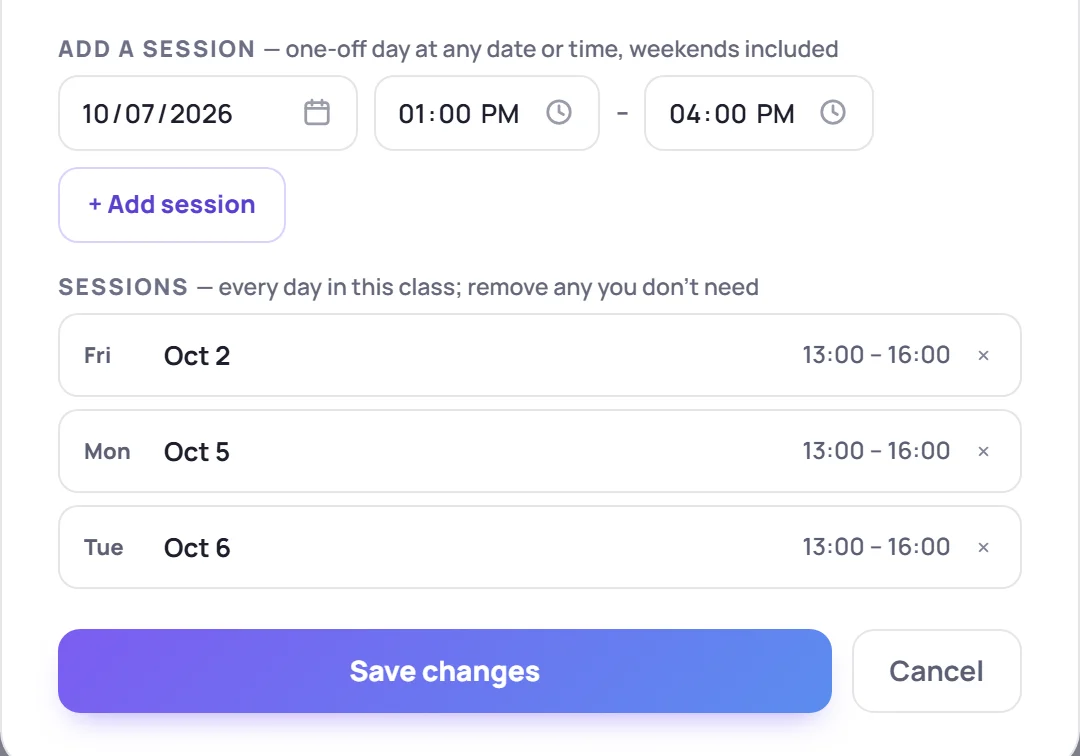
Workshop and development classes list every Session with its date and times. Click × to remove one. If the session has notes, Skovrum asks first, because its notes are deleted with it. Its topics move to Unassigned on the curriculum.
Skip days on an onboarding class
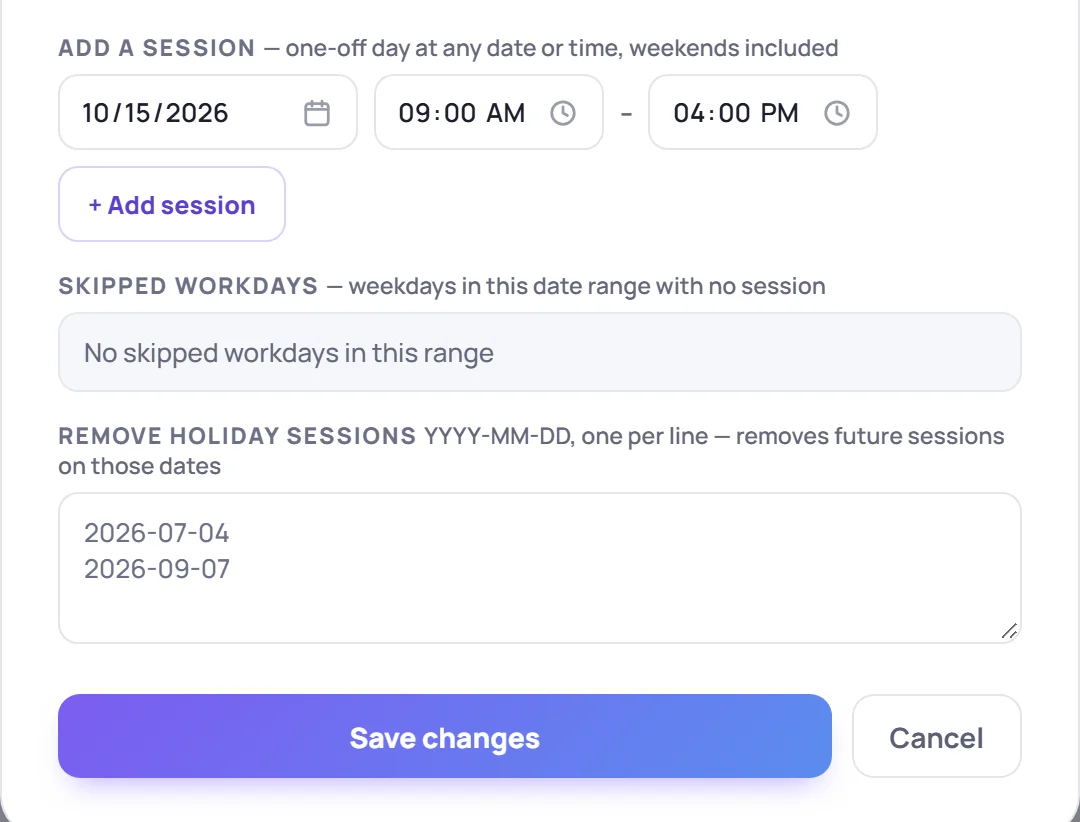
Onboarding classes run on consecutive weekdays, so instead of a session list they have:
- Skipped workdays: weekdays between the start and end dates that have no session. Holidays show in orange with their label. Click × on a holiday to drop the mark, or + on any other skipped day to give it a session again. Restored days are added when you save, at the form's Start time and End time.
- Remove holiday sessions: type dates as YYYY-MM-DD, one per line. When you save, Skovrum removes the sessions on those dates and marks those days as holidays. Only future sessions are removed. If any are, Skovrum asks first, because their notes go too.
What you can't change here
- The class type, and the client or business unit. An Admin can change these for one or more classes from Classes → Select. See Archive and bulk-edit classes.
- The roster. Use Add learner on the class screen. See Add learners.
- The topics. Use the Curriculum tab. See Build the curriculum.
Common questions
Why were sessions added when I saved? On an onboarding class, a later End date adds weekday sessions up to that date. If you didn't mean to add them, remove them with Remove holiday sessions, or set the end date back before you save.
Can I undo a change? Not in one step. Open Edit again and change it back. Removed sessions and their notes can't be restored.