Paused or cancelled workspaces
Why a workspace is paused, what Admins can still do for 30 days, what everyone else sees, and how to get your data or reopen it.
Your words may differ. Each workspace can choose its own words: a class might be a cohort, program or group, a learner a participant, trainee or new hire, a session a module or lesson. These guides use the default words. The steps are the same whatever your workspace calls them. Change your workspace's words
A workspace is paused when its subscription ends, because it was cancelled or never paid, or when Skovrum pauses it. A paused workspace is read-only. Your data is kept, and your Admins can still sign in and take a copy of everything for 30 days.
For the first 30 days
Admins can read and download everything
People with the built-in Admin role can still sign in. Every screen shows a banner with the last day they can download:

While the workspace is paused, an Admin can:
- open and read everything: classes, sessions, notes, learners, reports and analytics;
- download a full encrypted backup. Click Download a backup in the banner to go straight to Manage → Backups. See Backups;
- print reports and download spreadsheets, though new AI summaries can't be written. See Export to CSV;
- open Manage billing and plan, if the workspace paid by card, to update the card;
- use Sign out everywhere else in their account settings.
Anything that would change the workspace is refused with This workspace is paused, so it is read-only. You can view and download its data until …
Everyone else is told when they sign in
Trainers, Supervisors and people with any other role can't sign in. They see this message on the sign-in screen:
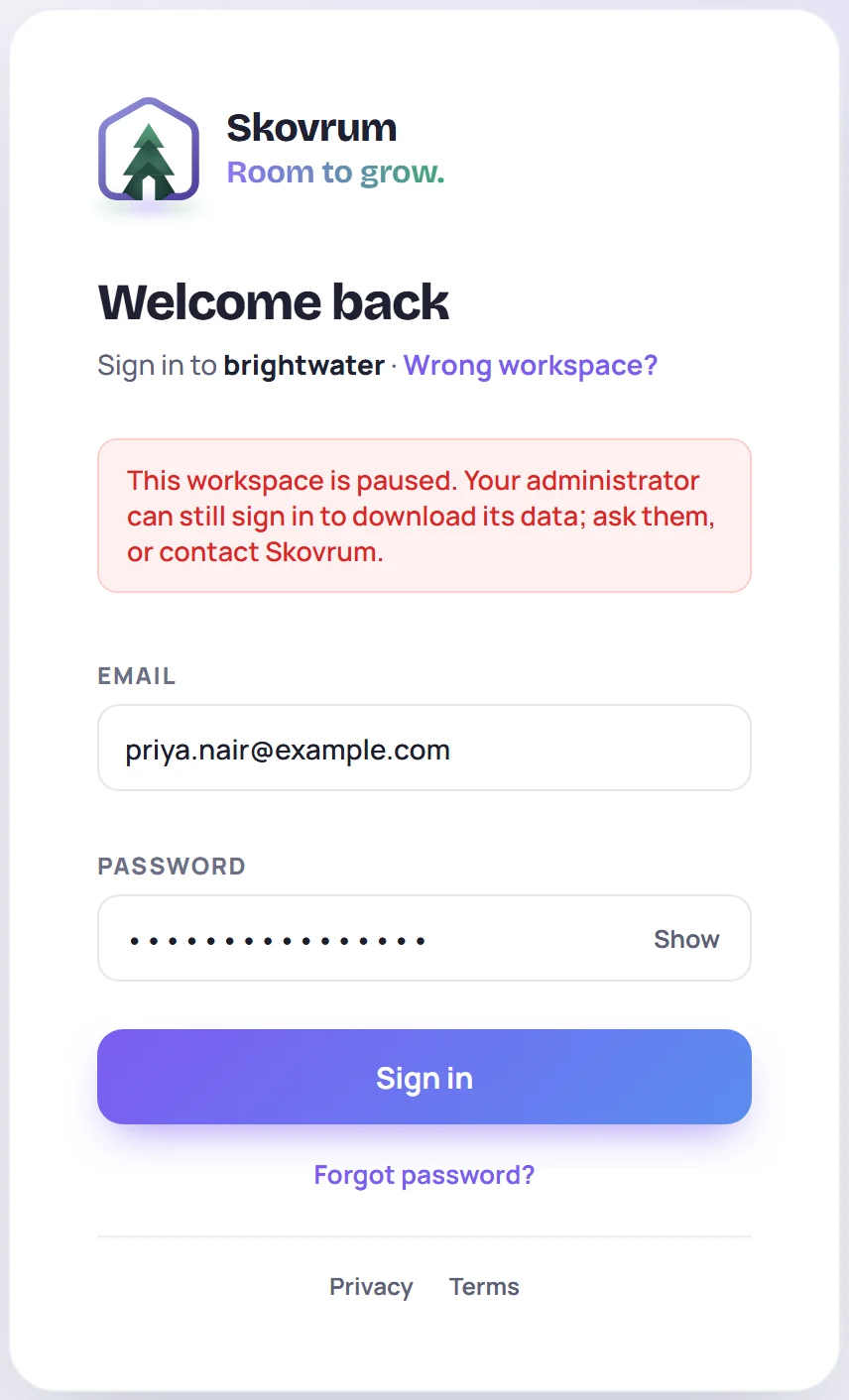
Anyone who was already signed in is taken back to the sign-in screen with the same message. Only the built-in Admin role gets in. A custom role that can manage users doesn't, so check that at least one person who needs the data is an Admin before the subscription ends.
Links that belong to the workspace stop working too, including learners' survey links and everyone's calendar feed.
After 30 days
Nobody can sign in any more. Everyone sees This workspace is paused, and its 30 days for downloading data have ended. Contact Skovrum to get your data or to reopen the workspace.
Your data is still kept. Email support@skovrum.com to get a copy or to reopen the workspace. See also Where your data is stored.
Reopen a paused workspace
Email support@skovrum.com, from any time during or after the 30 days. Once the workspace is active again, everyone can sign in as before, and everything is where you left it: classes, notes, users and settings.
If your workspace paid by card and the subscription becomes active again, the workspace reopens on its own.
Common questions
What's the difference between paused and cancelled? Cancelling ends the subscription. When it ends, the workspace is paused. There's no separate "cancelled" state, and nothing is deleted.
Can a trainer get their own notes out? Not while the workspace is paused. Ask an Admin, who can download everything.
Does pausing delete anything? No. Your workspace is kept until you ask us to delete it or return it to you.