Backups
Download an encrypted copy of your whole workspace, keep the passphrase safe, and restore it into an empty workspace.
Your words may differ. Each workspace can choose its own words: a class might be a cohort, program or group, a learner a participant, trainee or new hire, a session a module or lesson. These guides use the default words. The steps are the same whatever your workspace calls them. Change your workspace's words
A full backup is one file holding everything in your workspace: classes, sessions, learners, notes (private ones included), attendance, certifications, surveys, settings and everyone's sign-ins. It's encrypted with a passphrase you choose, so the file is useless to anyone without it. Backups are on every plan.
Download a full backup
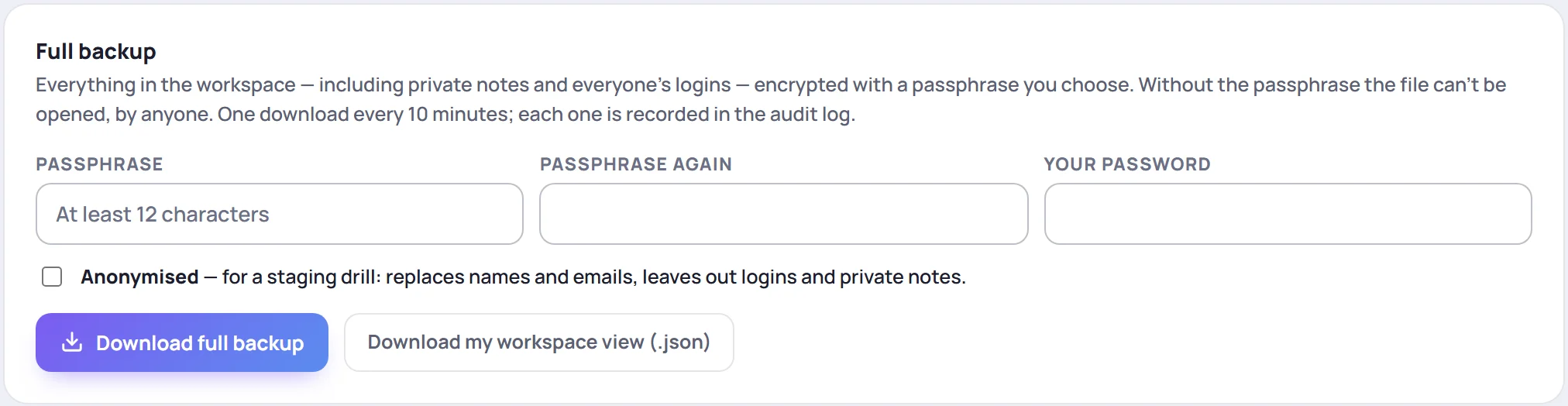
- Type a Passphrase of at least 12 characters, and type it again in Passphrase again.
- Type Your password, the one you sign in with, to confirm it's you.
- Click Download full backup.
The file downloads as skovrum-backup- followed by the date and time, ending in .skb.
Limits
- One full backup every 10 minutes.
- Your password is checked every time. After too many wrong passwords, backups are locked for 15 minutes.
- Every download is recorded in the audit log as Full backup downloaded.
What's not in it
- Attached images and PDFs. The file records that they existed, but not the files themselves, so they don't come back after a restore.
- The audit log, the activity log, sign-in attempts and error reports.
Anonymised backups
Tick Anonymised for a copy with names and emails replaced, and without sign-ins or private notes. It's meant for testing a restore, not for keeping your data safe.
The other download: your workspace view
Download my workspace view (.json), on this card and on the Backup & export card in Manage → Data, saves what you can see in the app as a plain file. It isn't encrypted, and it isn't a full backup: it can't be restored. Anyone whose role can export data has it.
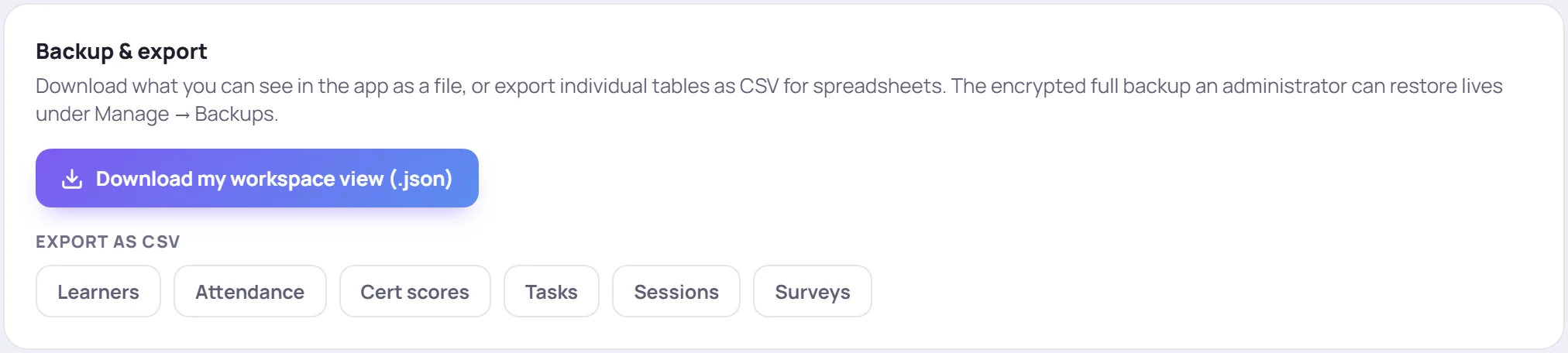
For spreadsheets of learners, attendance, scores, tasks, sessions or surveys, see Export to CSV.
Restore a backup
A restore brings a full backup into an empty workspace, such as a brand-new one. It never merges into, or overwrites, a workspace that already has data. A workspace that does shows what's in it instead:

In an empty workspace:
- Choose the .skb backup file.
- Type the File passphrase and Your current password.
- Click Read file. Skovrum opens the file in your browser and shows when it was made, whether it's full or anonymised, and how many users, classes, sessions and learners it holds.
- Check those details, type RESTORE in Type RESTORE to confirm, and click Restore this backup.
A bar shows progress. If the restore stops part-way, choose the same file again and click Resume restore to carry on from where it stopped.
Before you restore
- Your email must be in the backup, as an active user who can manage users. Otherwise you'd be locked out afterwards, so Skovrum refuses.
- The file must be unchanged. A file that's been edited won't restore.
- A backup from a newer version of Skovrum won't restore into an older one.
After a full restore, everyone signs in with the password they had when the backup was made.
Common questions
How often should I download a backup? As often as your organization's own rules ask. A backup is your extra copy, kept where you choose. It's worth making one before a big change, such as a clean-up with Clear old data.
Can I read a backup without restoring it? No. It's encrypted, and only Skovrum's restore can open it, with the passphrase.
What if our workspace is paused? Its Admins can still sign in and download a full backup for 30 days. See Paused or cancelled workspaces.
Is a backup the same as exporting? No. Exports are readable spreadsheets of one kind of data. A backup is everything, encrypted, for restoring. See Export to CSV.