What AI sees
Where Skovrum uses AI, exactly what it reads and never reads, the daily limits, and who can use it.
Your words may differ. Each workspace can choose its own words: a class might be a cohort, program or group, a learner a participant, trainee or new hire, a session a module or lesson. These guides use the default words. The steps are the same whatever your workspace calls them. Change your workspace's words
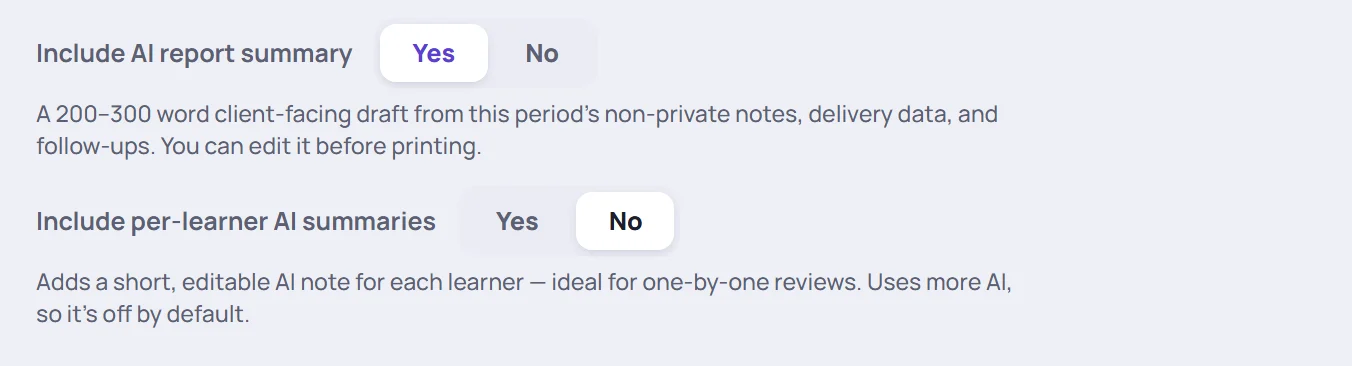
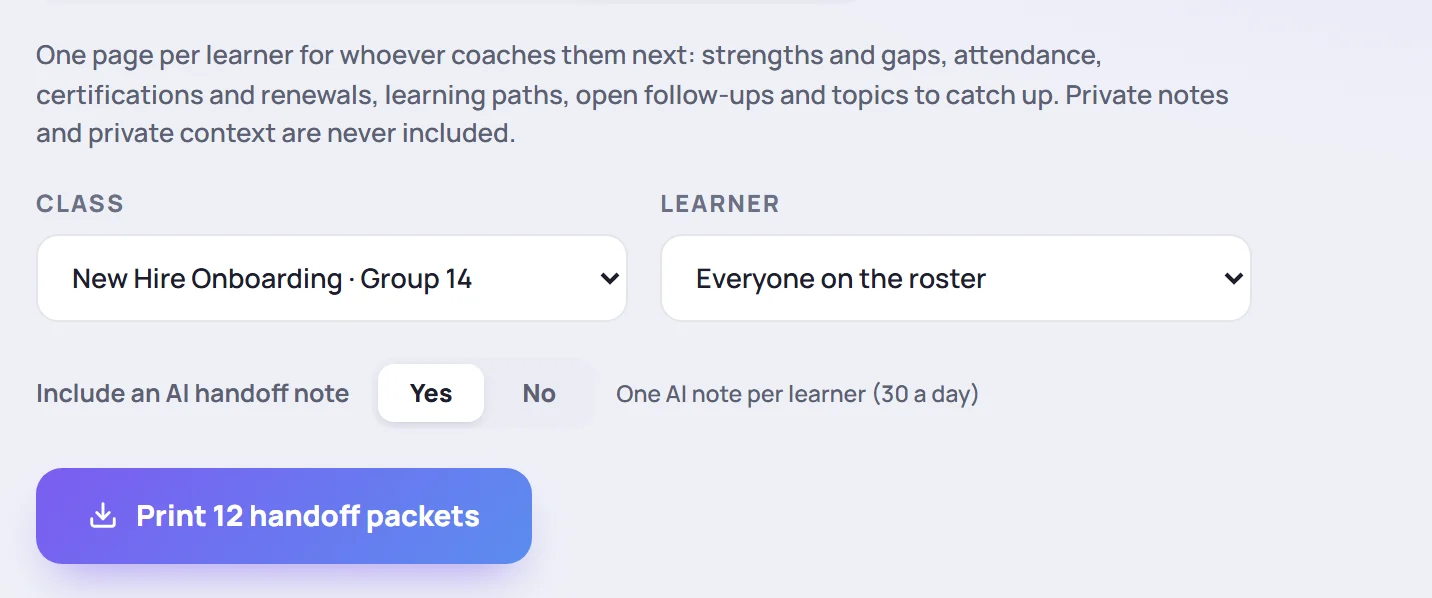
Skovrum uses AI in four places, all to save you writing time: a summary for a class report, a short note per learner, a handoff note, and the themes in survey comments. Each one is a draft for you to read and edit. AI never changes your records, and nothing it writes is saved in Skovrum.
Where AI appears
| Feature | Where | What you get |
|---|---|---|
| Training Summary | Export report → Include AI report summary | 140–300 words about the period, at the top of the class report |
| Learner-by-Learner Summary | Export report → Include per-learner AI summaries | Two to four sentences per learner, in the class report |
| Handoff note | Handoff packets → Include an AI handoff note | Three to five sentences for the learner's next coach, in each handoff packet |
| AI comment themes | A class's Surveys tab → Summarize comment themes | Two to four sentences on what learners' written comments have in common |

The report texts can be edited in the report before you print: click into them. See Read survey responses for the comment themes.
What AI reads
Skovrum gathers the facts itself, from your workspace's records, each time you ask.
For a Training Summary, from the sessions in the reporting period:
- the class name, the dates and how many learners were enrolled;
- each session's date, title and status;
- attendance totals by status, and the average progress rating;
- the curriculum topics and whether each was covered;
- certification attempts: certification, score, date and result;
- up to 20 open follow-up tasks;
- up to 48 notes and observations: their text, competency, rating, tags and how many learners they're about.
For per-learner and handoff notes, one learner at a time: their attendance totals, average progress rating, certification attempts, and their observations (from sessions and from their profile), up to 12 per learner for a class report and 24 for a handoff note. A handoff note looks back up to a year, across the learner's classes that you can report on. The learner's name and class name aren't part of it.
For comment themes, the class name and only the written comments from the class's surveys (the 120 most recent), with the session each came from and the question it answered. Ratings are never sent: they stay in Skovrum as numbers. Pre- and post-course self-assessments aren't included.
What AI never reads
- Private notes, yours or anyone's. See Private notes.
- Private context from learner profiles, such as accommodations. See Private context.
- Learner names as such. No roster, name list or email address is sent.
The AI is also told to use only the facts it was given, to treat note text as material rather than instructions, and to write less rather than pad when there's little to go on.
Daily limits
Each person has their own limits, counted over the last 24 hours. Only a request that produces text counts.
| Feature | Solo and Team plans | Business plan |
|---|---|---|
| Training Summary | 30 | 90 |
| Learner-by-Learner Summary (one per report) | 20 | 60 |
| Handoff notes (one per learner) | 30 | 90 |
| Comment themes | 40 | 120 |
When you reach a limit, Skovrum says so, such as Daily AI report-summary limit reached, and a report is printed without the AI part. Printing handoff packets for a whole class uses one handoff note per learner.
When there's no AI text
The rest of the report is still produced. Common reasons:
- The period is too long. A Training Summary or per-learner notes cover at most 31 days.
- There's nothing to go on yet: Not enough recorded activity in this period to summarize, or No written comments to summarize yet.
- The limit is reached (see above).
- Your role can't use AI. The AI switches and buttons don't appear.
A learner with nothing recorded gets No recorded activity in this period. instead of a note. A class report writes notes for up to 24 learners.
Common questions
Is the AI text kept anywhere? No. It's written when you ask, shown or printed, and not stored in Skovrum. Asking again writes a new version.
Can learners see AI summaries? Only if you print a report and share it. Learners never sign in to Skovrum.
Can we switch AI off? An Admin can give people a custom role with AI summaries switched off. Custom roles are on the Team and Business plans.