Daily email
Turn on the weekday-morning digest of your sessions, tasks, mentions and replies, see what it can include, and unsubscribe in one click.
Your words may differ. Each workspace can choose its own words: a class might be a cohort, program or group, a learner a participant, trainee or new hire, a session a module or lesson. These guides use the default words. The steps are the same whatever your workspace calls them. Change your workspace's words
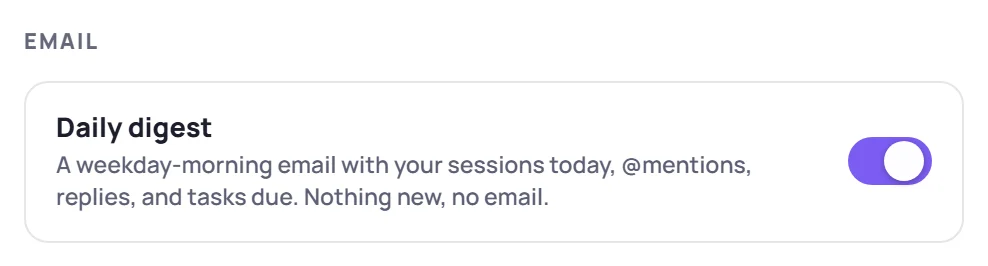
The daily digest is a short email each weekday morning with what's on for you today and what's new since your last one. It's off until you turn it on.
Turn it on or off
- Click the gear next to your name at the bottom of the sidebar to open your account settings.
- Under Email, click the Daily digest switch. It saves straight away.
When it arrives
Monday to Friday, from 7:30 in the morning in your workspace's time zone. It usually arrives soon after 7:30. An Admin sets the time zone in workspace settings.
No news, no email. If there's nothing for you that day, nothing is sent. Tomorrow's sessions alone don't trigger an email either.
What's in it
Each section appears only when it has something in it.
| Section | What it lists |
|---|---|
| Today's sessions | Your sessions today, with times and the room |
| Tomorrow's sessions | A heads-up for tomorrow, when there's an email anyway |
| Tasks due | Open tasks assigned to you that are due today or overdue |
| Learners needing attention | Learners in your current classes who have just become at risk. Anyone still at risk is listed again each Monday. |
| Certification renewals | Learners in your classes whose certification has just come within a renewal reminder or expired. Admins get every learner's. |
| Questions | New answers to questions you asked. On Team and Business, also team questions unanswered for 2 days whose topic you teach in the next week. |
| Observation requests | Colleagues who asked you to observe a session (Team and Business) |
| Mentions | Notes and replies where someone @mentioned you |
| Replies | Replies to your notes or to tasks you created or were assigned |
The subject line counts what's inside, for example Skovrum · 2 sessions today · 3 updates. Open Skovrum → at the bottom takes you to the app.
Mentions in a private note are never emailed. Neither is the content of a peer observation, only the request.
On the Business plan, an Admin can have emails sent in your organization's name.
Unsubscribe
Click Unsubscribe at the bottom of any digest. A page asks you to confirm: click Unsubscribe again. Many email apps also show their own unsubscribe button, which does the same in one click.
You can turn the digest back on any time with the switch in your account settings.
Common questions
I turned it on but nothing came. It's only sent on weekday mornings, and only when there's something for you. Check your spam folder too.
Does it replace the bell? No. The bell in the app shows things as they happen, and the email is a once-a-day summary. See Notifications.