Learner health
What the Thriving, On track and Needs attention labels mean, the rules behind them, and where at-risk learners show up.
Your words may differ. Each workspace can choose its own words: a class might be a cohort, program or group, a learner a participant, trainee or new hire, a session a module or lesson. These guides use the default words. The steps are the same whatever your workspace calls them. Change your workspace's words
Skovrum gives each learner a health label from three things you already record: their attendance, their daily progress ratings, and their certification results. Nobody sets it by hand, and it changes as soon as the records do.

The three labels
| Label | Means |
|---|---|
| Needs attention (red) | At least one of the warning signs below |
| Thriving (green) | No warning signs, attendance of 95% or more, and an average rating of 4 or more (if they've been rated) |
| On track (blue) | No warning signs, but not everything that Thriving needs |
There's no label until there's something to judge, such as a session that has already happened. Hover over the label to see why, for example Attendance 75% or Progress 4.5/5.
The warning signs
A learner needs attention if any of these is true:
- Attendance is below 80%. This is the share of their past sessions they were marked present for. Excused sessions are left out. Late arrivals and early leaves count as not present. A past session with no attendance recorded counts as present.
- Their average daily progress rating is 2 or lower (Developing or Needs Improvement).
- They've attempted a certification and not passed it yet.
Where you see it
- On the learner's profile, next to their name. It looks at every class they're in.
- On a class's roster, on each learner's card. There it looks at that class only.
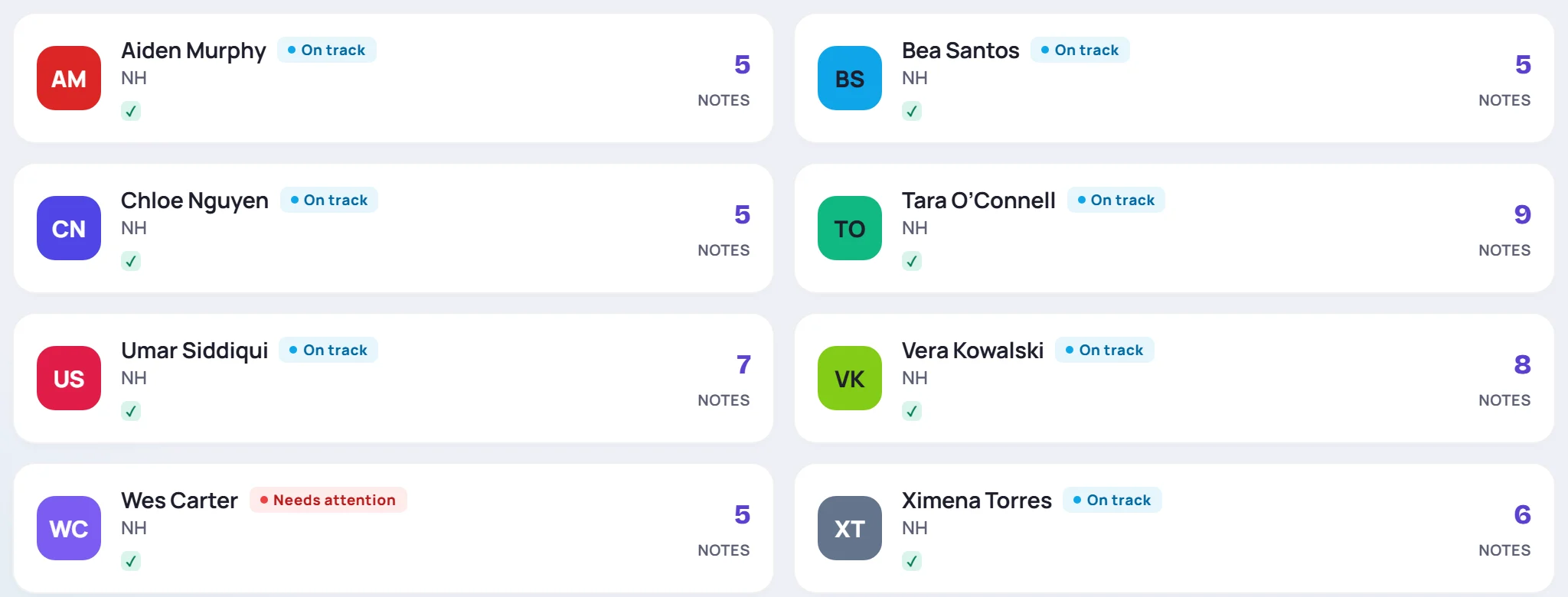
The same rules decide who is listed:
- under Needs attention on the Analytics screen;
- in Learners needing attention in the daily email, for classes you lead that are running. A learner is listed on the day they cross a line. On Mondays, the email also lists those who still need attention, and anyone flagged Watch.
Common questions
Can I change the thresholds? No. They're the same for every workspace.
How is this different from a flag? The health label is worked out for you. A Strong or Watch flag is your own judgment, set in Edit a learner's details, and it doesn't change the label.