How everything connects
The handful of building blocks behind every screen in Skovrum, and where the things you record end up.
Your words may differ. Each workspace can choose its own words: a class might be a cohort, program or group, a learner a participant, trainee or new hire, a session a module or lesson. These guides use the default words. The steps are the same whatever your workspace calls them. Change your workspace's words
Skovrum is built from a few pieces that fit together the same way every time. Once you know them, every screen makes sense: each one is a view of a class, a session or a learner. Reading this page takes about five minutes.
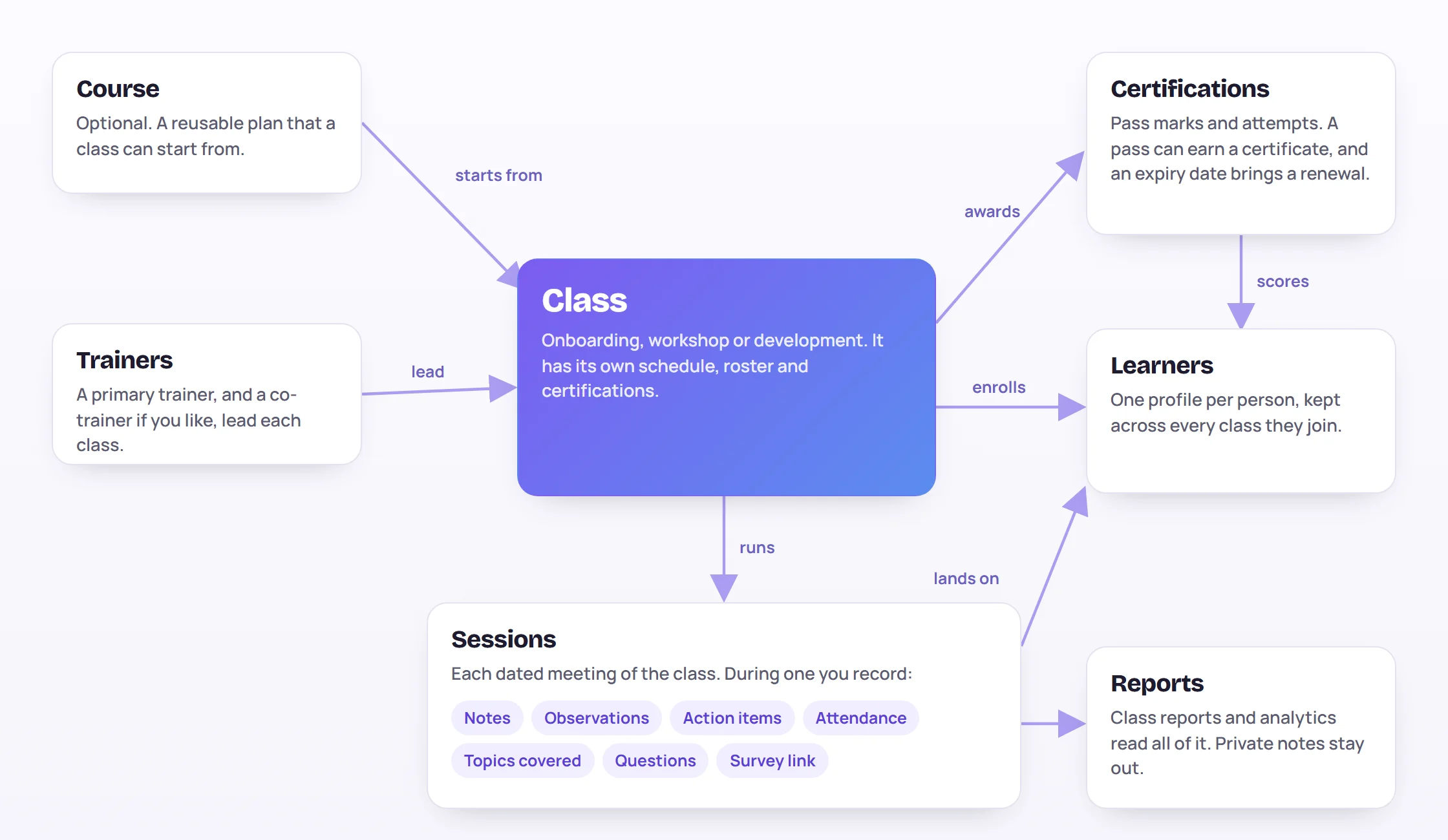
The class is the center
A class is one run of training: a two-week onboarding for new hires, a one-off workshop or a series of coaching sessions. It has:
- a type: Onboarding, Workshop or Development. The type decides how the schedule is built and keeps reports apart. See Create a class.
- its trainers: a primary trainer, and optionally a co-trainer who can do everything the primary can in that class;
- a roster of learners;
- a schedule of sessions;
- a curriculum of topics to cover, and the certifications learners can earn.
A class can start from a course, a reusable plan with the settings, curriculum and certifications already filled in, and it stays linked to that course.
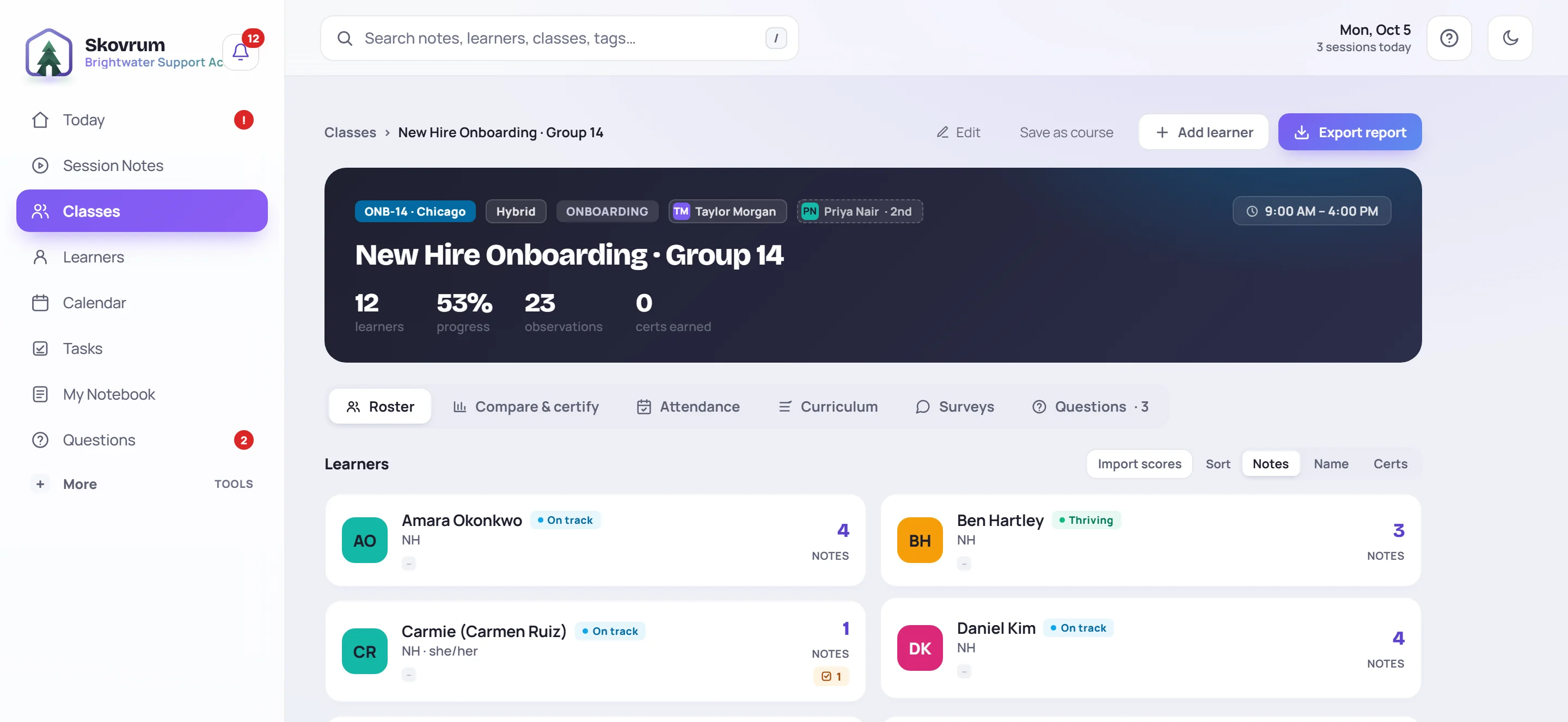
The class screen shows all of this in one place, with a tab for each part.
Sessions are where the work happens
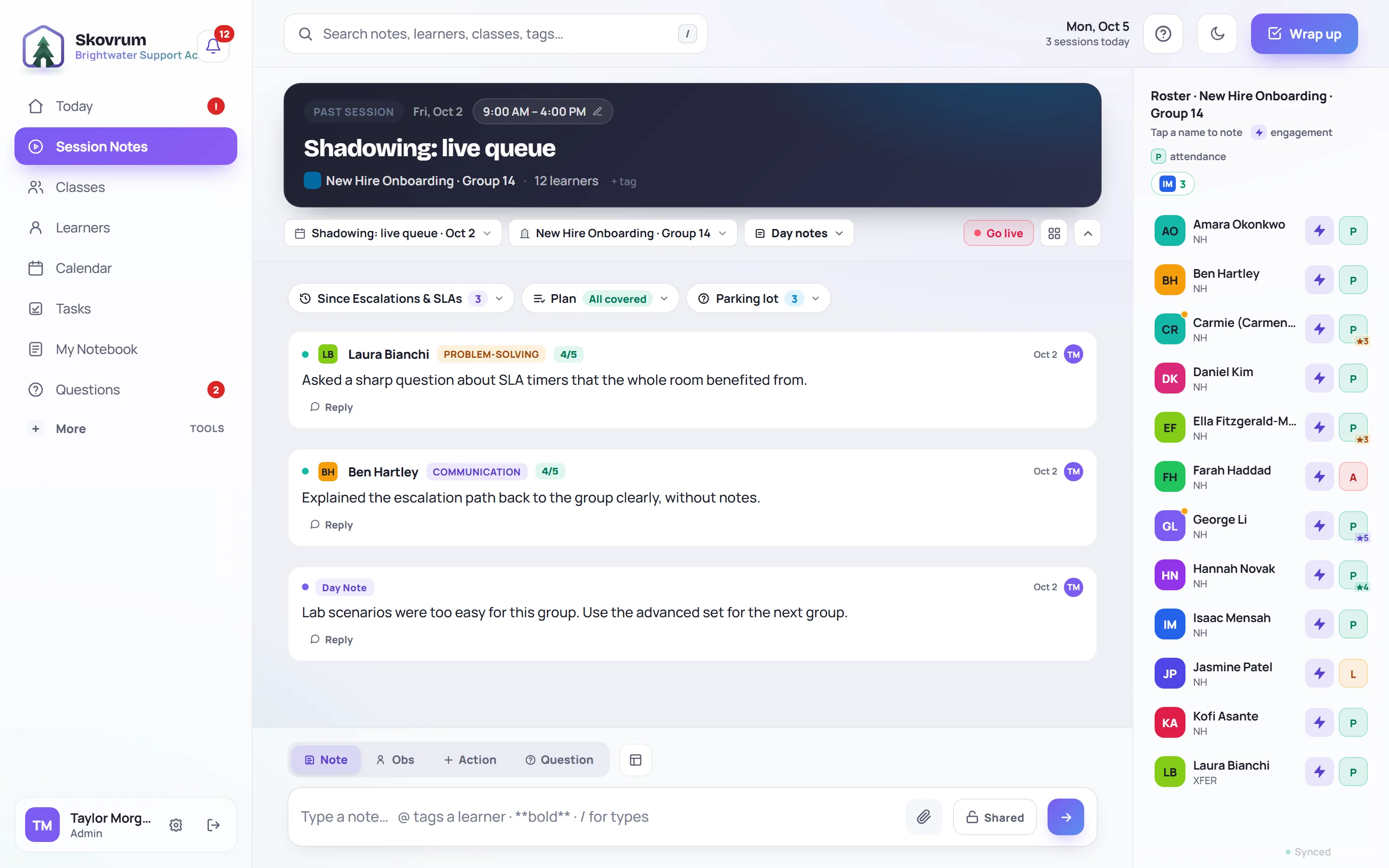
A session is one dated meeting of a class, such as Day 3 or Week 2. You open a session to teach it, and almost everything you record, you record there:
| You record | What it is |
|---|---|
| Notes | What happened, what worked, what to change |
| Observations | A note about one or more learners, optionally rated against a competency |
| Action items | Something to follow up, with an owner and a due date |
| Attendance | Who was there, late, excused or absent |
| Topics covered | Which curriculum topics you got through |
| Questions | What learners asked that you'll come back to |
| Survey link | Learners' feedback on the session |
When a session ends, you wrap it up and leave notes for whoever teaches the next one. If a session moves to another day, everything recorded in it moves too.
Learners have one profile, however many classes they join
A learner is a person being trained. Learners never sign in to Skovrum. Each has one profile, even when they take several classes over time, so their history stays together.
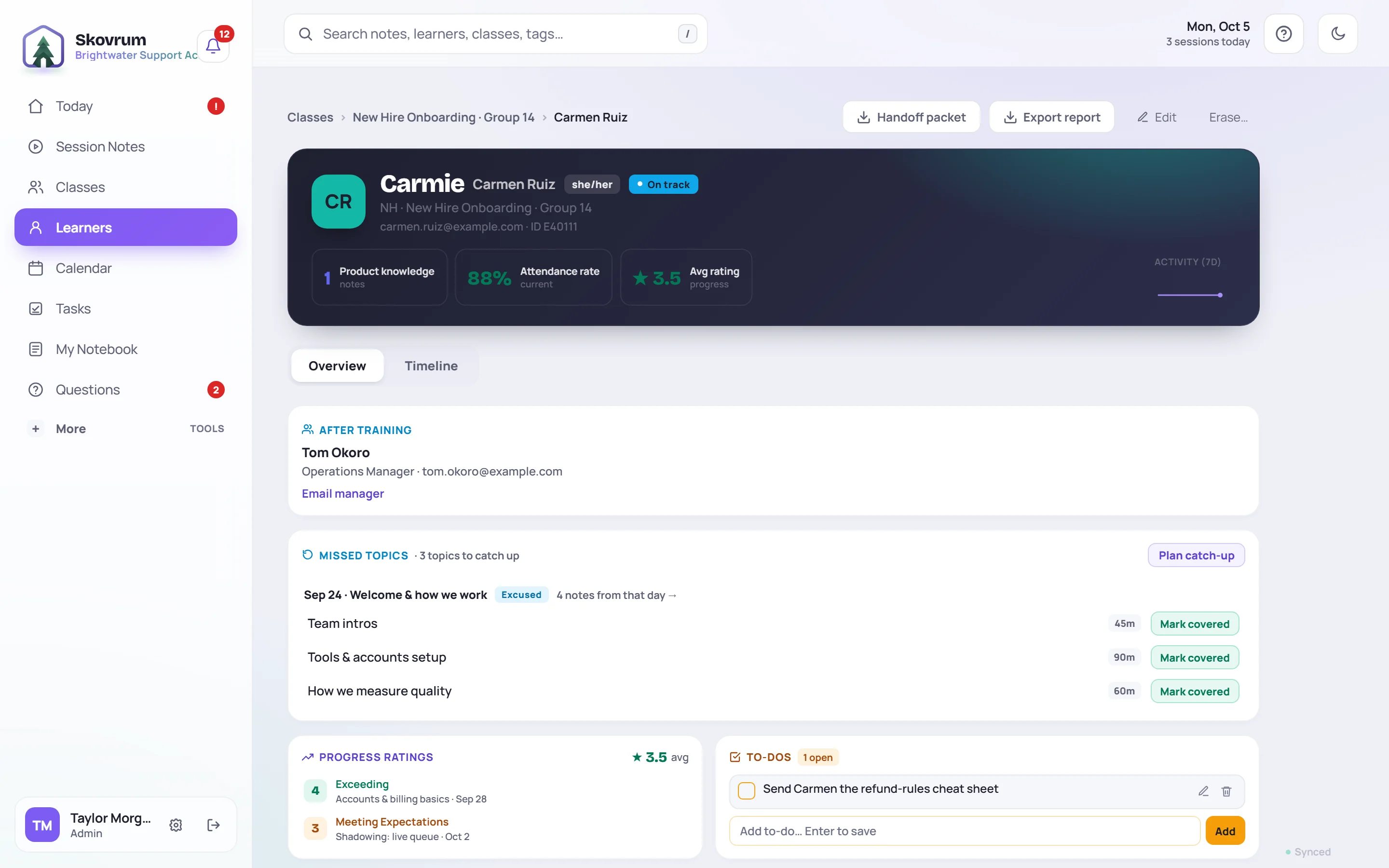
Their profile collects, from every class they're in:
- observations about them and their ratings;
- attendance, and the topics they missed while away;
- certification scores, certificates and renewal dates;
- to-dos for them, and a timeline of everything that happened.
That's why the same note can show up in two places. An observation written during a session appears in that session and on the learner's profile. You only write it once.
Certifications track what learners can do
A certification is something a learner can pass, such as an end-of-training assessment. Your workspace keeps a list of them, and each class chooses the ones it awards. For each learner you record a score. A score at or above the pass mark counts as a pass, and an Admin or trainer can then issue a certificate. If the certification expires, Skovrum tracks the renewal date.
Learning paths string courses and certifications together into a longer journey, such as everything a new team lead works through in their first year.
Shared across classes
A few things belong to the whole workspace rather than one class:
- Topics and curriculum templates are shared by every class of the same type. A topic added to one onboarding class is offered to all of them. See Build the curriculum.
- Tasks are one shared list for the whole team. See Tasks.
- Competencies, tags, courses and survey templates are kept in one catalog that Admins look after.
- The Questions board collects questions the whole team can answer. See The Questions board.
- My Notebook holds your own notes that don't belong to any class. See My Notebook.
Reports read everything, except private notes
Class reports, analytics, handoff packets and AI summaries are built from what's recorded in classes and sessions. Nothing needs to be entered twice.
The one exception is a private note. It's seen only by the person who wrote it, and it's never included in a report, an export or an AI summary.
Who sees what
What you can see and change depends on your role. Skovrum comes with three:
| Role | Sees | Can change |
|---|---|---|
| Admin | Every class | Everything, including users, roles and workspace settings |
| Trainer | Every class | The classes they lead or co-lead |
| Supervisor | Every class | Nothing. It's read-only, though Supervisors can answer questions on the Questions board. |
Your workspace may also have custom roles. Some of them only see the classes their members lead.
Where to go next
- New to Skovrum as a trainer? Read Your first week as a trainer.
- Setting up a workspace? Start with Set up your workspace.
- Leading a team of trainers? See For managers and supervisors.